
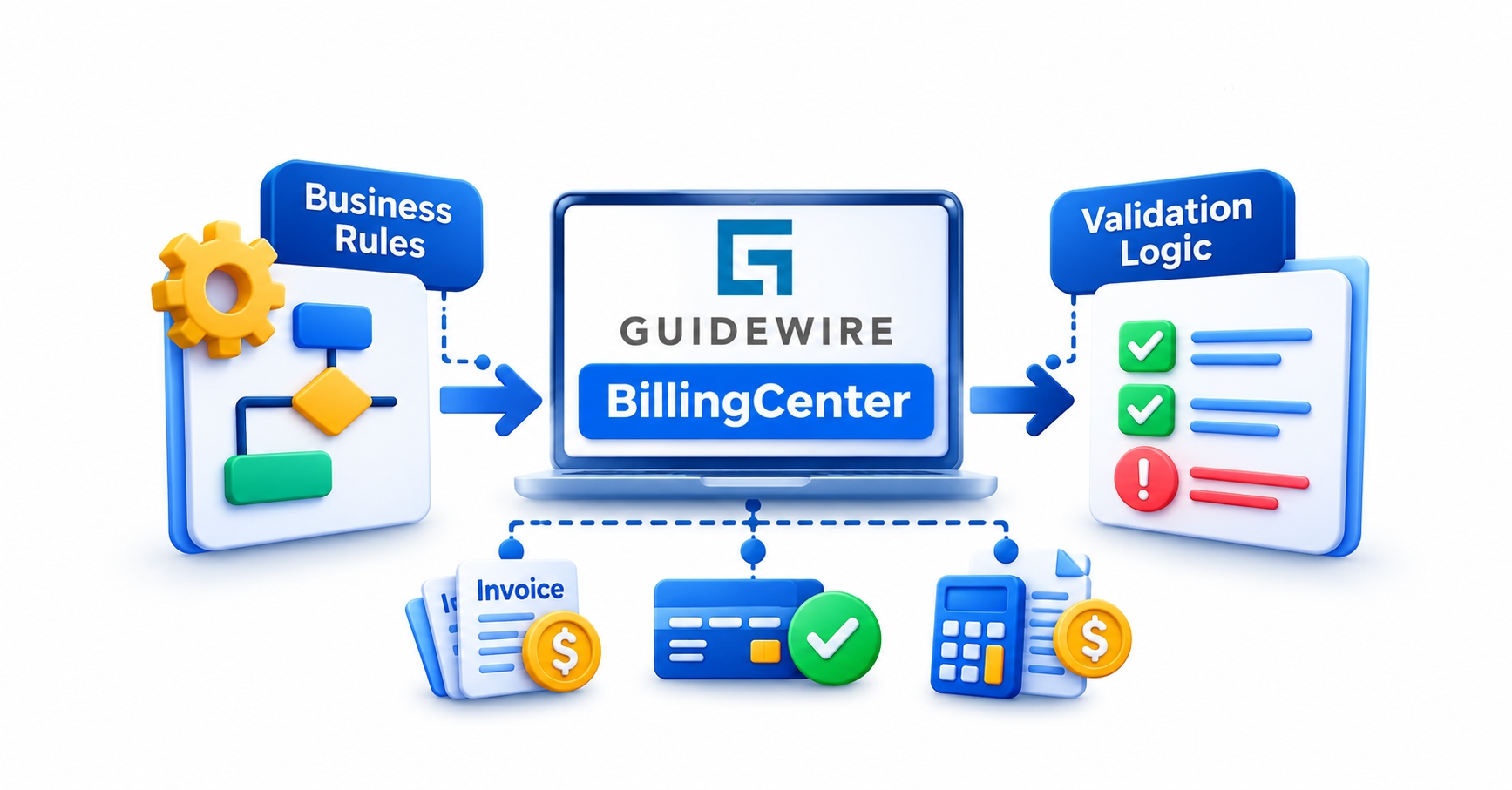
A payment posts against the wrong invoice, a promise-to-pay date lands in the past, and a large write-off slips through without anyone approving it. None of these is a bug in the usual sense. They are gaps in Guidewire BillingCenter business rules, and learners in Guidewire training in Chennai and elsewhere usually find them only when real billing data starts misbehaving.
Knowing where a rule ends and validation begins decides whether a fix takes ten minutes or ten days.
How Guidewire BillingCenter Business Rules Work Behind the Screen
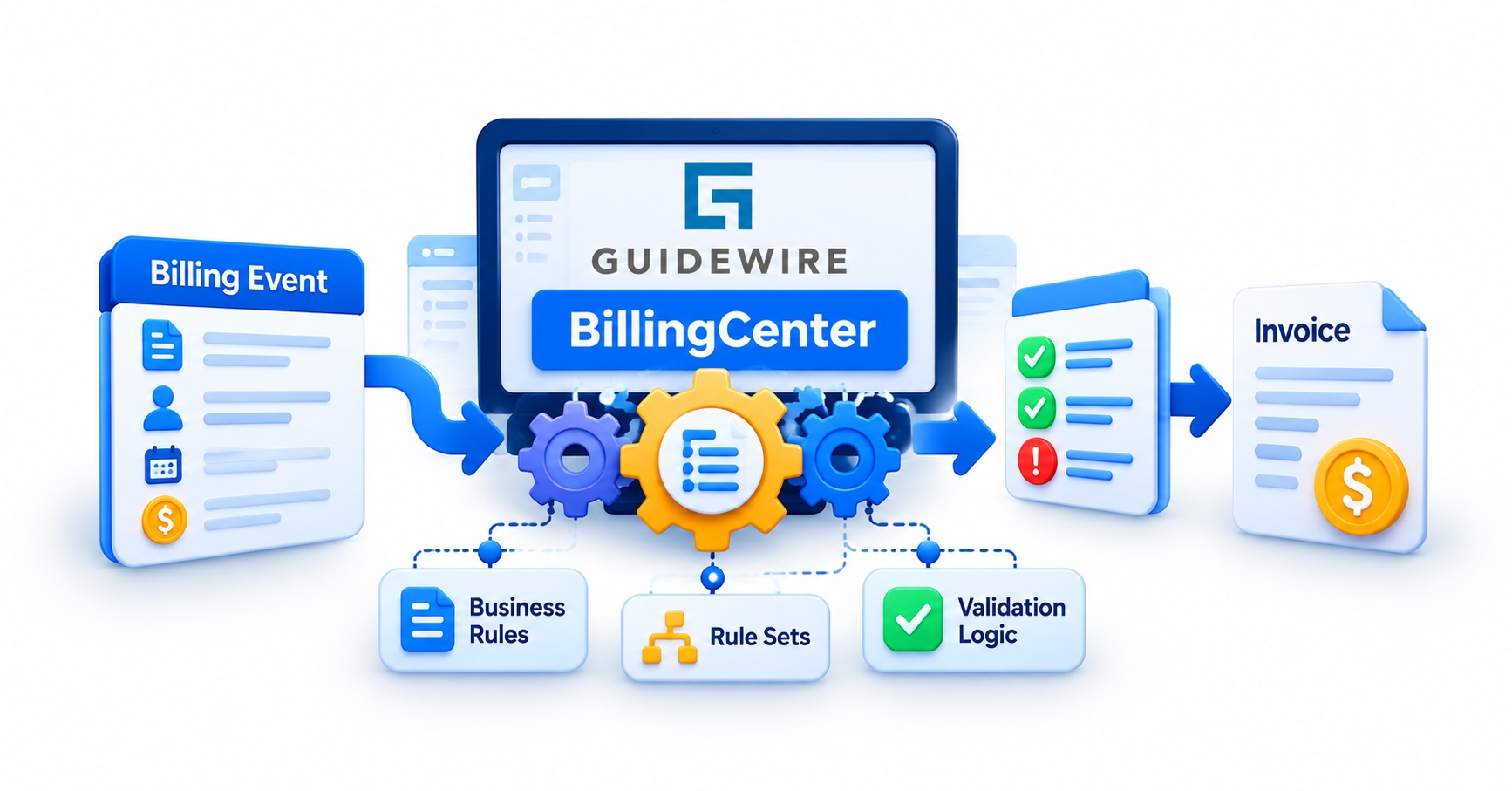
A business rule in BillingCenter is a piece of Gosu logic that runs when something happens to a piece of data. That something is usually a save: an account is created, an invoice item changes, a payment is allocated. The rule examines the entity involved, applies a condition from the insurer’s billing policy, and then acts. It might correct a field, raise an error, create an activity for a collections analyst, or let the change pass untouched.
Guidewire organizes this logic into rule sets. The three most often discussed are preupdate, validation, and event fired. Preupdate rules run just before data is committed and suit adjustments or derived values. Validation rules check whether the data is acceptable. Event fired rules respond to named events, such as passing information to an external system. Depending on the product version, other rule sets handle work like activity assignment and disbursement approval.
Rules are built in Guidewire Studio, where each rule set takes a root entity as its input and evaluates conditions in order. Beginners often expect a rule to behave like a script someone triggers. It doesn’t. It fires because an entity changed, which explains why the same rule can run when a user edits a screen, when a batch process adjusts invoices, or when an integration pushes data in.
That behaviour is what makes rules powerful, and also easy to misuse. A rule written with one screen in mind quietly governs every other path to the same data.
Validation Logic vs Business Rules: Where One Ends and the Other Begins
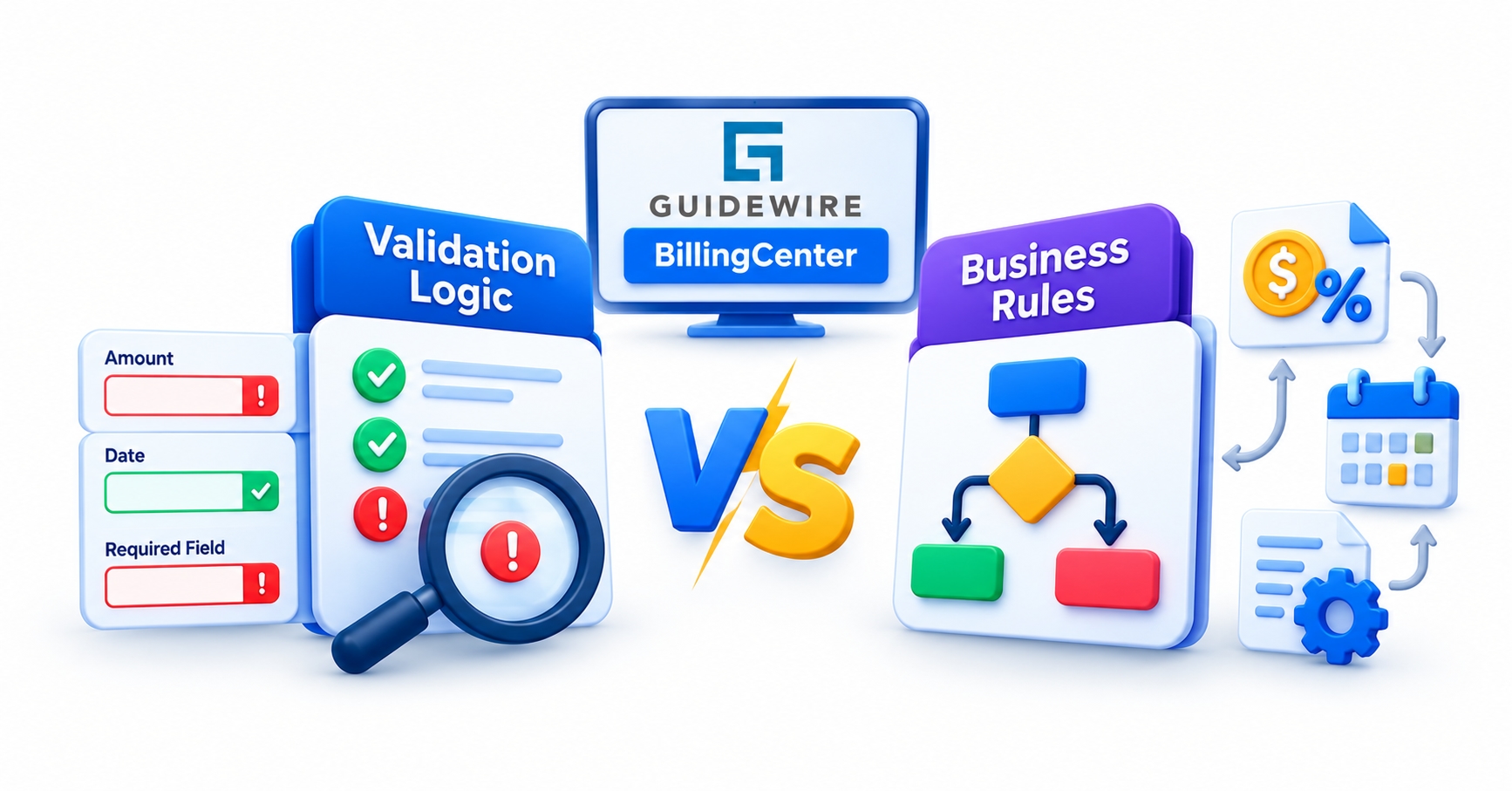
Business rules decide what should happen. Validation logic decides whether the data is allowed to exist. The difference sounds academic until a defect appears. A blank payment date is a validation problem. A payment above a certain amount that needs supervisor review is a business rule. Mixing the two produces rules that block users when they should only be routing work.
A simple test helps. Ask whether the user can do something sensible after the system says no. If they can, like fixing a date, it belongs in validation, and the message should say exactly what to fix. If the right outcome is a different workflow, such as creating an activity or holding a disbursement for approval, a business rule fits better.
Severity matters as well. Guidewire’s validation approach generally separates errors, which stop a save, from warnings, which inform the user but let them continue. Choosing the wrong one is a classic configuration mistake. A payment far larger than the installment due is unusual but possibly legitimate, so it deserves a warning. A negative amount where the system expects a positive one would corrupt billing, so it deserves an error.
Preupdate rules sit in an awkward middle. They can change data before commit, but they are not meant to be the main gatekeeper. Packing heavy validation into them tends to hide why a save failed, and the person debugging it later pays the price.
Where Validation Lives: Data Model, PCF Screens, and Gosu Rules
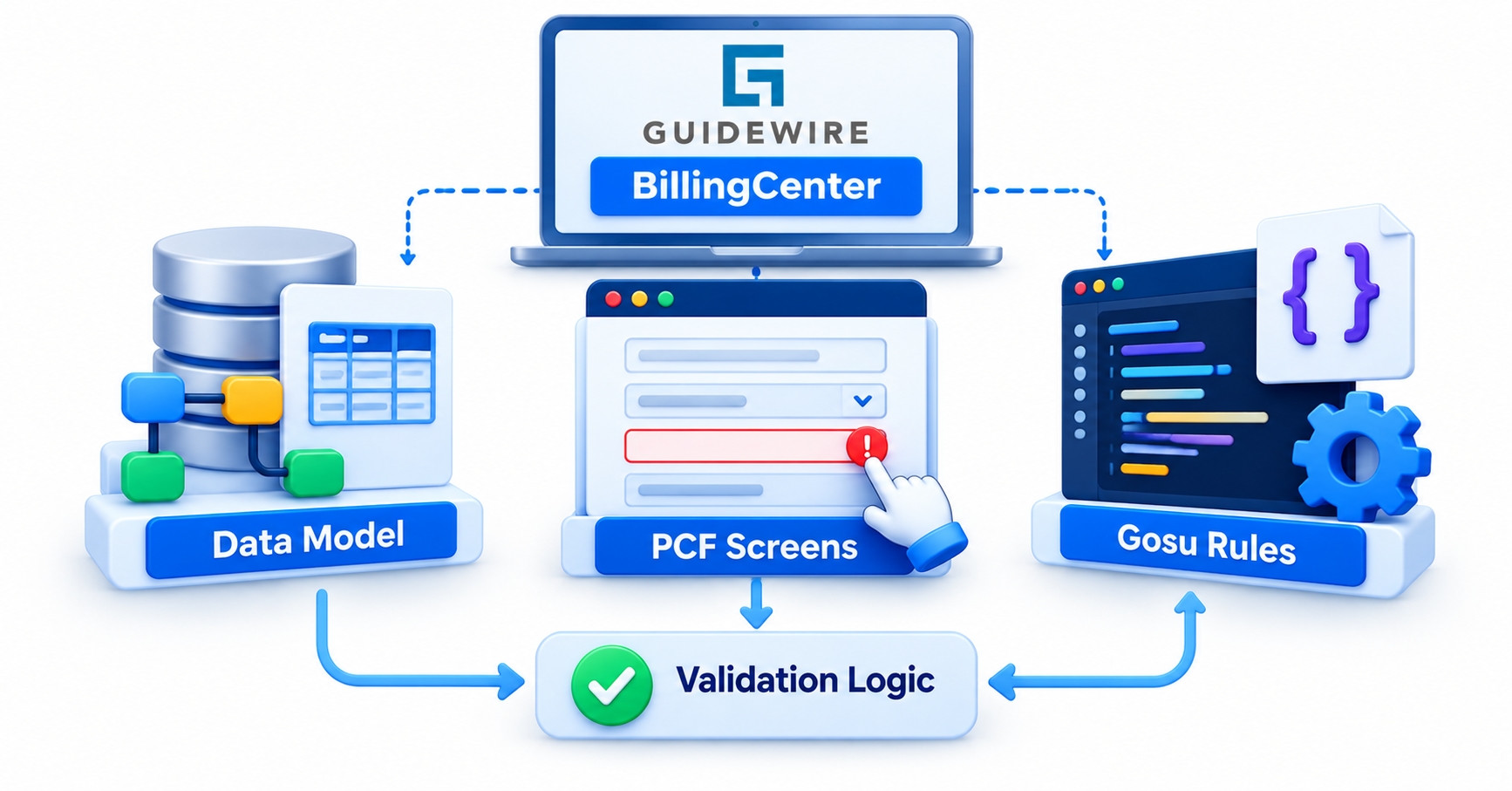
Validation in BillingCenter is not one mechanism but three layers, and each catches different problems.
The first layer is the data model. Field types, required flags, and typelists decide what can be stored at all. A typelist restricts a field to a defined set of values, so a payment method cannot be a free-text guess. Checks here are cheap and apply everywhere, but they can only express simple constraints.
The second layer is the PCF screen. Input-level validation expressions give users immediate feedback while they type or tab out of a field. This is the friendliest place for a quick check, such as confirming that a date is today or later. Its weakness is coverage: a PCF check protects only that screen, and nothing else that touches the data.
The third layer is Gosu validation and preupdate rules. These guard the entity itself, regardless of how the change arrives. Anything that protects billing integrity, such as an amount that must not exceed the outstanding balance, belongs here.
A sensible habit is to put the quick, single-field courtesy check in the PCF and the authoritative version in Gosu. The same message should appear in both, so users never see two different explanations for one problem. If a check exists only on a screen, treat it as a convenience and not a safeguard.
A Walkthrough: Validating a Payment Commitment Date
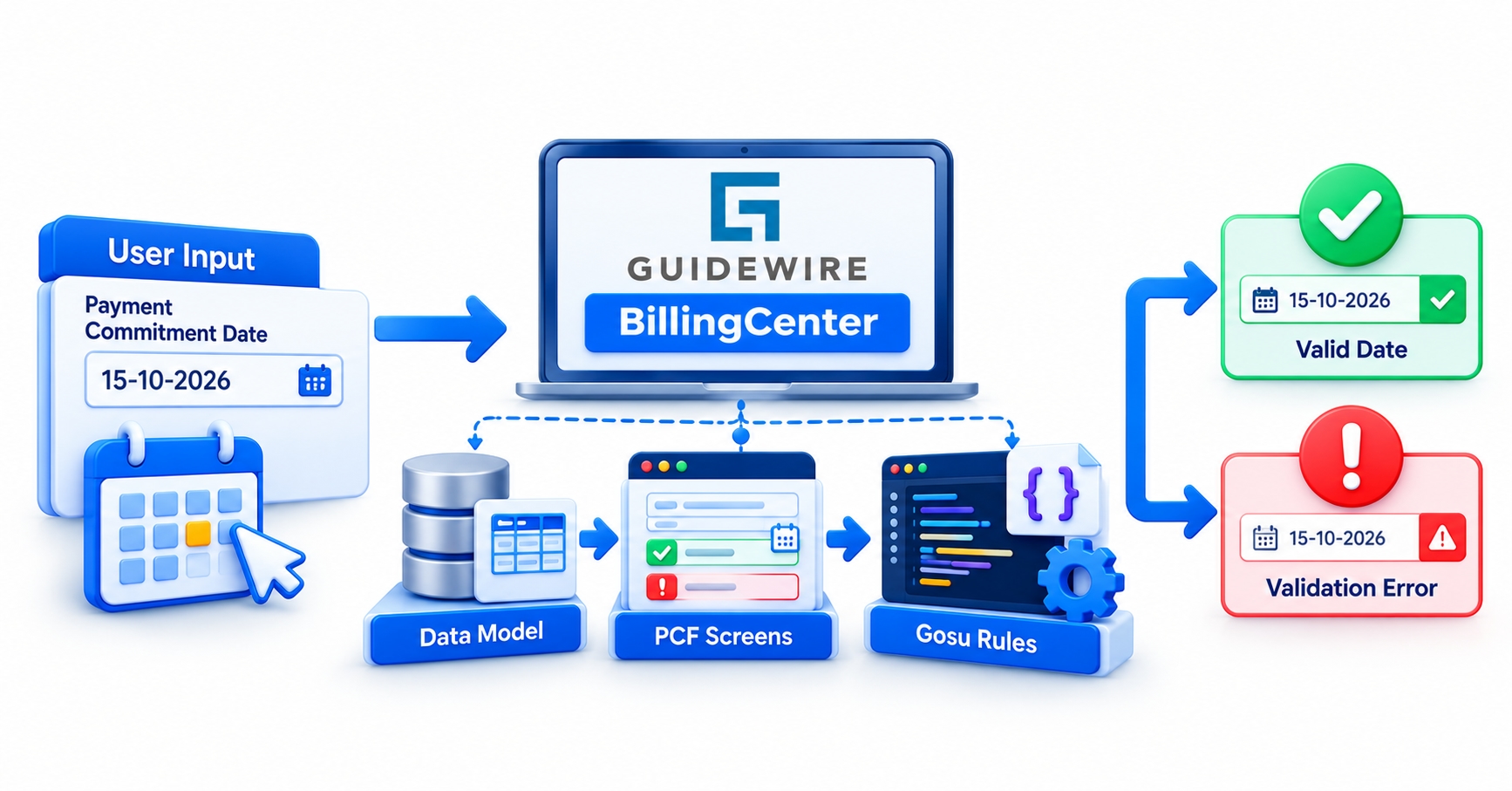
Consider a hypothetical example. A collections analyst records that a customer has promised to pay an overdue amount by a certain date. The insurer wants sensible limits on those commitments. The specific limits below are invented for illustration, and a real project would take them from the insurer’s collections policy.
Gather the requirement. The business analyst writes it as testable statements: the date cannot be in the past, cannot be more than a set number of days ahead, and the promised amount cannot exceed what the account owes.
Sort each statement. Past dates and over-balance amounts are validation. Whether a long extension needs supervisor attention is a business rule.
Add the screen check. A PCF validation expression catches the past date immediately, with a message that names the field.
Add the authoritative rule. A Gosu validation rule rejects the same conditions at the entity level and adds a clear error when either fails.
Add the routing rule. If the account is already at a late stage of its delinquency process, a business rule creates an activity for a supervisor instead of blocking the analyst.
Test the edges. Try today’s date, yesterday, the exact maximum window, and an amount equal to the balance, on accounts in different delinquency states.
The last step is where most defects hide. Boundary values and account states expose assumptions that normal cases never touch.
Rules That Fire Without a User: Batch Processes, APIs, and Integrations
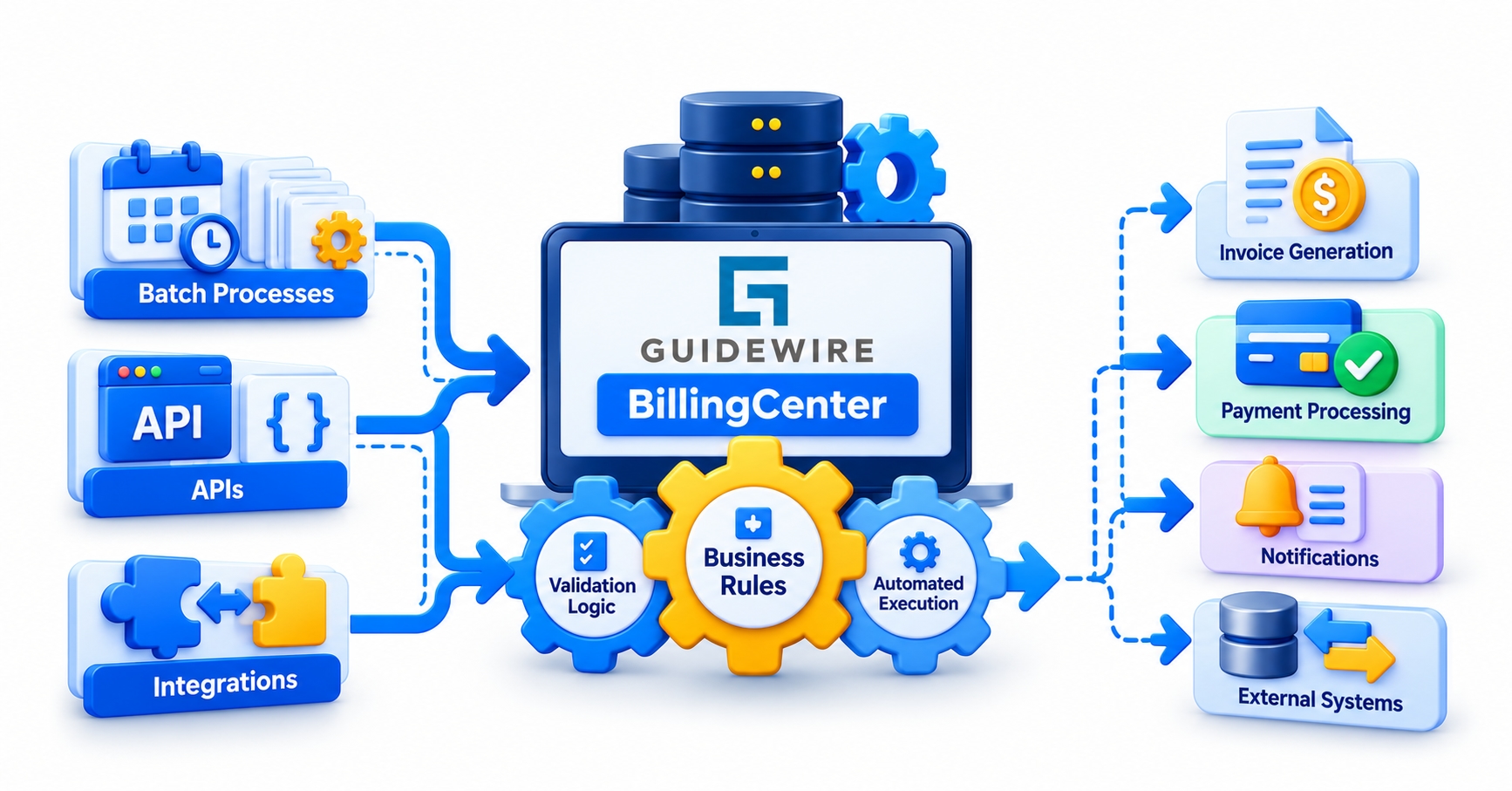
Because rules attach to entity changes and not to screens, they also run when nobody is sitting at a keyboard. In Guidewire applications generally, an update that arrives through an API call or a batch process passes through the same commit-time checks as one made in the interface. That is a feature, since it keeps data consistent, but it changes how messages should be written.
Take billing instructions arriving from PolicyCenter. If a validation rule rejects them, there is no analyst to read a friendly screen message. The caller receives an error, and an integration developer has to work out what went wrong. A message like “Invalid input” is useless there. One that names the account, the field, and the violated condition saves hours.
Batch work raises a second concern. A process that touches thousands of invoice items triggers rules thousands of times. A rule that runs a database query on every execution can turn a quick nightly job into one that overruns its window. Rules that look harmless in a single-record test can behave very differently at volume, so performance testing with realistic data belongs in the plan.
There is also a design consequence. Since a rule cannot know who or what triggered it, it should avoid assumptions about the interface. Logic that depends on a screen being open, or on a user always being present, will fail the first time an integration takes the same path.
Common Mistakes That Make Billing Rules Painful to Maintain
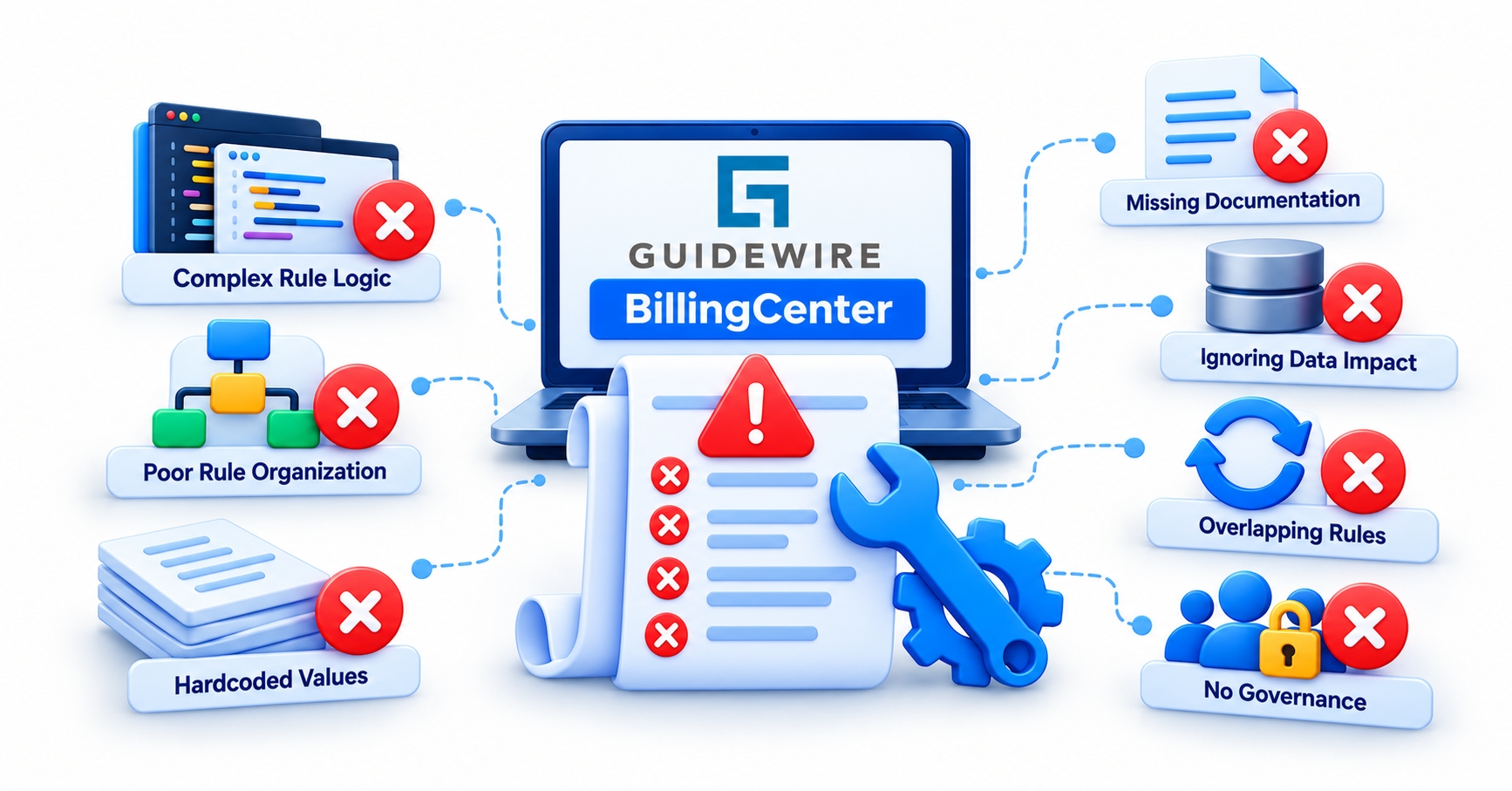
Most rule problems show up months after go-live, when someone has to change one. A few habits cause the majority of them.
Hard-coded thresholds. A grace period or amount limit buried in Gosu forces a code change whenever the business adjusts policy. Where the product supports it, keep such values in configuration, parameters, or typelists.
The same check in several places. When a rule is copied across a screen, a rule set, and an integration class, the copies drift apart, and users get contradictory behaviour.
Vague error messages. “Validation failed” tells nobody anything. A good message names what is wrong and what to do about it.
Validation inside preupdate rules. It works, but failures become harder to trace and the intent of each rule set blurs.
Heavy queries in frequently fired rules. The cost multiplies with every save and every batch run.
Testing only through the screen. Manual clicking misses integration paths and edge cases, and it cannot be repeated cheaply after each change.
Customization deserves a mention too. Guidewire encourages teams on its cloud platform to stay close to base configuration and its published cloud standards. A rule that solves a problem with a configuration option is usually better than clever custom code, because it survives upgrades with less effort.
Building Rule-Writing Skills: Testing, Tools, and Career Relevance

Rules are one of the most testable parts of a Guidewire project. Gosu logic can be exercised with GUnit tests, which run without a full server and give fast feedback. A developer who writes a test for each boundary case before changing a rule gains confidence that later edits will not quietly break an earlier requirement. Studio’s debugger helps when a rule fires unexpectedly, especially when a condition filters out the test data and the rule never runs at all.
Employers treat this as everyday work. Job listings for BillingCenter configuration roles tend to pair business rules with Gosu, PCF, the data model, workflows, and batch processes, and some specifically mention validation logic for events such as late payments and delinquency warnings. Business analysts and QA testers benefit as well: analysts who can phrase a requirement as a clear validation or routing rule save developers guesswork, and testers who understand boundary behaviour find defects earlier.
For learners, structured practice makes the difference. The Guidewire BillingCenter training at JastTech covers billing plans, invoicing, payments, delinquency, and configuration fundamentals through projects such as a delinquency and collections system, which is exactly where rules and validation get exercised. Those weighing location and format can also read a guide to choosing a Guidewire course in Hyderabad before committing.
Conclusion
Guidewire BillingCenter business rules look like small pieces of Gosu, yet each one decides how an insurer’s money moves and what a billing clerk sees when something goes wrong. Separate validation from routing, place each check at the right layer, and write messages a person can act on. Done well, the rules stop producing surprises and start behaving like policy.



