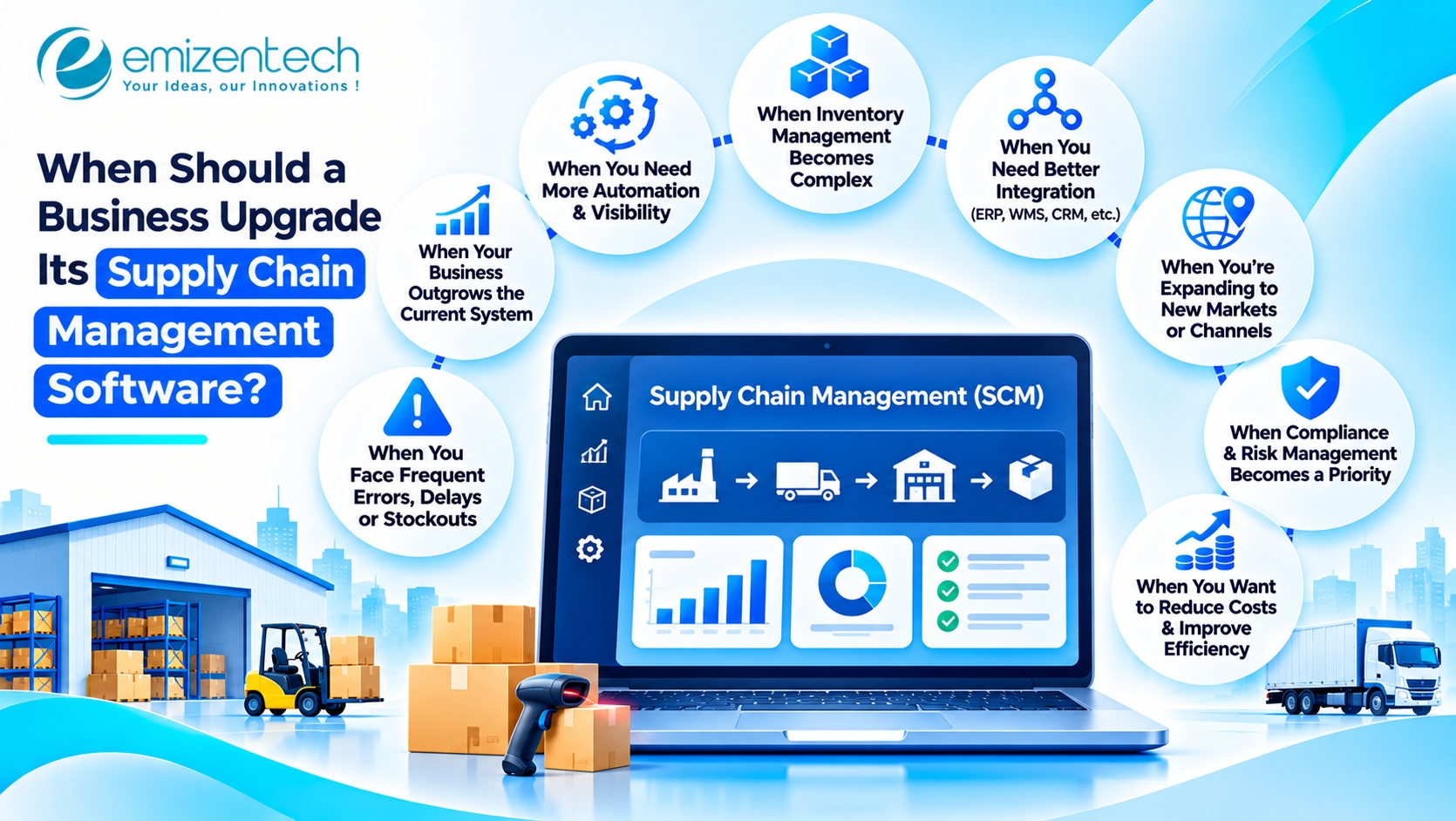
As businesses grow, their supply chain operations become more complex. Increasing order volumes, additional suppliers, multiple warehouses, and changing customer expectations can put pressure on existing systems. Software that once supported daily operations efficiently may eventually struggle to handle these requirements.
Continuing with outdated technology can lead to inventory inaccuracies, delayed order processing, poor coordination, and higher operational costs. Recognizing these problems early helps businesses determine when an upgrade is necessary and avoid disruptions as operations expand.
Why Do Businesses Need to Upgrade Their Supply Chain Systems?
Business requirements change over time, and existing systems may not always keep pace. A platform that works well for a small operation might become inefficient when the business starts managing larger inventories, multiple suppliers, or higher transaction volumes.
Businesses generally consider upgrading their systems for the following reasons:
Changing business requirements: New products, sales channels, and distribution models require additional operational capabilities.
Increasing order volumes: Higher transaction volumes can expose limitations in existing order processing workflows.
Growing inventory complexity: Managing stock across multiple warehouses requires better visibility and coordination.
Supplier network expansion: Working with more suppliers increases the need for centralized procurement and communication.
Operational inefficiencies: Manual processes and disconnected applications can slow down everyday activities.
Upgrading at the right time helps businesses maintain operational control and prepare their supply chains for future requirements.
7 Signs Your Business Needs a Supply Chain Software Upgrade
An existing system does not become outdated simply because it has been in use for several years. Its ability to support current operations is a more reliable indicator. The following signs can help businesses identify when an upgrade is necessary.
1. Limited Real-Time Inventory Visibility
When inventory information is spread across spreadsheets and disconnected applications, maintaining accurate stock records becomes difficult.
Employees may work with outdated inventory figures, resulting in stock shortages, excess inventory, and incorrect replenishment decisions. These problems become more common when businesses manage multiple warehouses or sales channels.
If your current system cannot provide accurate stock information, upgrading to supply chain management software with centralized inventory tracking can improve visibility and inventory control.
2. Frequent Order Processing Errors
Manual order entry and disconnected applications increase the chances of incorrect product details, duplicate records, and delayed processing.
For example, an order received through an eCommerce platform may not automatically appear in the warehouse system. Employees then need to update the information manually, increasing processing time and the possibility of errors.
If order inaccuracies and fulfillment delays are becoming frequent, businesses should evaluate whether their existing system supports automated order processing and reliable data synchronization.
3. Poor Supplier Coordination
Managing multiple suppliers involves purchase order tracking, delivery schedules, communication, and performance monitoring.
An outdated system may not provide a centralized way to manage these activities. Procurement teams might depend on emails and spreadsheets to track supplier updates, making it difficult to identify potential delays.
When supplier coordination becomes difficult to manage, businesses should consider upgrading their systems to improve purchase order visibility, supplier communication, and procurement workflows.
4. Increasing Operational Costs
Rising operational expenses can indicate that existing supply chain processes are becoming inefficient.
Repeated data entry, manual reporting, unnecessary inventory storage, and inefficient procurement workflows increase the time and resources required to manage operations.
Businesses should examine whether their current software contributes to these problems. Better workflow automation, inventory planning, and procurement management can help reduce avoidable expenses.
5. Inaccurate Demand Forecasting
Demand forecasting helps businesses estimate future product requirements and plan inventory accordingly.
However, older systems may rely on limited historical information or basic reporting capabilities. This makes it difficult to identify seasonal fluctuations, changing customer demand, and market trends.
If businesses frequently experience overstocking or stock shortages, they should evaluate whether their existing forecasting capabilities are sufficient. Upgrading can provide access to better analytics and predictive planning tools.
6. Integration Problems with Existing Systems
Supply chain operations depend on information exchanged between ERP platforms, CRM systems, warehouse applications, accounting software, and eCommerce platforms.
When these applications do not communicate effectively, employees may need to transfer information manually. This creates inconsistent records and slows down important business processes.
If integration issues are affecting daily operations, businesses should consider an upgrade that supports reliable APIs, data synchronization, and compatibility with their existing technology environment.
7. Difficulty Scaling Business Operations
A system that works for one warehouse or a limited product catalog may not support a business operating across multiple locations.
As transaction volumes increase, businesses may experience slower reporting, limited user access, and difficulties managing additional suppliers or distribution channels.
These limitations indicate that existing infrastructure may not support future requirements. An upgrade should provide the flexibility to accommodate increasing workloads without compromising operational performance.
When Is the Right Time to Upgrade Supply Chain Software?
Identifying the right time for an upgrade requires evaluating current system performance alongside future business requirements. Certain operational changes can make an upgrade necessary even when the existing platform is still functioning.
Businesses should consider upgrading in the following situations:
Before Expanding Into New Markets
Entering new markets introduces additional suppliers, distribution requirements, shipping arrangements, and inventory management challenges. Upgrading before expansion helps businesses prepare their operations for additional complexity.
When Adding Warehouses or Distribution Centers
Managing multiple warehouses requires accurate information about stock availability, transfers, and fulfillment activities. If the existing system cannot provide centralized visibility, an upgrade can help improve warehouse coordination.
When Order Volumes Increase
Higher order volumes put additional pressure on inventory management, procurement, and fulfillment workflows. If the current platform becomes slower or requires frequent manual intervention, businesses should evaluate its ability to handle increased workloads.
When Existing Integrations Become Unreliable
If connected applications frequently experience synchronization issues or require manual data transfers, it may be time to upgrade the integration capabilities of the existing system.
When Current Software Cannot Support Business Growth
When the existing platform lacks the flexibility to accommodate new processes, additional users, or changing operational requirements, upgrading becomes an important consideration.
Upgrade vs. Replace: Which Approach Is Better?
Businesses do not always need to replace their entire supply chain platform. In some situations, upgrading existing modules or integrating additional capabilities may be sufficient.
The right approach depends on the condition of the current system, its technical limitations, and future business requirements.
Evaluation Factor | Upgrade Existing Software | Replace Existing Software |
|---|---|---|
System condition | Core architecture remains reliable | Existing architecture has major limitations |
Implementation effort | Usually involves fewer changes | Requires more extensive implementation |
Data migration | May involve limited migration | Often requires broader data migration |
Customization | Retains existing workflows where possible | Allows workflows to be redesigned |
Long-term suitability | Suitable when the platform can support future needs | Better when the existing platform cannot scale |
An upgrade is generally suitable when the existing platform remains reliable but needs additional functionality or better integrations. Replacement may be more practical when the system has major technical limitations, lacks vendor support, or cannot accommodate changing business requirements.
How to Upgrade Supply Chain Software Without Disrupting Operations
A poorly planned upgrade can interrupt procurement, inventory management, and order fulfillment. Businesses should follow a structured approach to reduce implementation risks and maintain operational continuity.
1. Audit Existing Systems and Identify Limitations
Review current applications, integrations, data sources, and operational processes. Identify recurring problems such as inventory discrepancies, reporting delays, and manual data entry.
2. Define Upgrade Requirements
Determine what the upgraded system needs to accomplish. Consider transaction volumes, warehouse requirements, integration dependencies, user roles, and reporting expectations.
3. Plan Data Migration and Integrations
Prepare inventory records, supplier information, purchase orders, and other essential business data for migration. Validate data quality and confirm compatibility with connected applications.
4. Test the Upgraded System
Conduct functional, integration, and performance testing before deployment. Testing should cover important workflows such as order processing, inventory updates, and procurement approvals.
5. Train Employees and Monitor Performance
Employees should understand how to use the updated system and complete their daily responsibilities. After deployment, monitor system performance, identify issues, and make necessary adjustments.
How to Measure the Success of a Software Upgrade
An upgrade should deliver measurable operational improvements rather than simply introduce new technology. Businesses should establish performance benchmarks before implementation and compare results after deployment.
Important metrics include:
Inventory accuracy: Measures how closely recorded stock levels match actual inventory.
Order fulfillment time: Tracks the time required to process and complete customer orders.
Procurement efficiency: Evaluates the time and resources required to complete purchasing activities.
On-time delivery rate: Measures whether orders reach customers according to scheduled delivery dates.
Operational costs: Helps identify changes in storage, handling, and inventory-related expenses.
Regularly reviewing these metrics helps businesses determine whether the upgraded system is meeting operational expectations.
Conclusion
Upgrading supply chain technology at the right time helps businesses avoid operational bottlenecks, improve inventory visibility, and manage increasing business requirements. The decision should be based on measurable system limitations, future expansion plans, and the ability of existing technology to support daily operations.
Before investing in an upgrade, businesses should evaluate their current workflows, identify technical gaps, and prioritize improvements that address actual operational challenges. With 12+ years of technology development experience, EmizenTech helps businesses explore digital solutions that support operational efficiency, system integration, and evolving business requirements.
Frequently Asked Questions
1. How often should businesses upgrade their supply chain software?
There is no fixed upgrade schedule. Businesses should review their systems regularly and consider an upgrade when existing technology cannot support operational requirements, integration needs, or future growth.
2. What are the signs of outdated supply chain management software?
Common signs include inaccurate inventory records, frequent order processing errors, limited supplier visibility, poor reporting capabilities, integration problems, and difficulties handling increasing transaction volumes.
3. How long does a supply chain software upgrade take?
The timeline depends on system complexity, data migration requirements, integrations, customization, and testing. Smaller upgrades may take a few weeks, while enterprise-level modernization can require several months.
4. Is it better to upgrade or replace existing supply chain software?
Upgrading is suitable when the existing platform has a reliable foundation but needs additional features or integrations. Replacement may be necessary when the system has major technical limitations or cannot support future business requirements.