
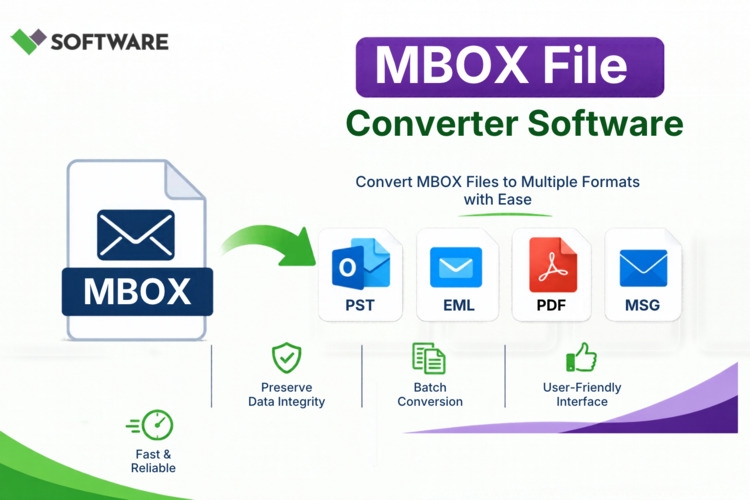
Email migration is a critical process for organizations and individuals transitioning from legacy email platforms to Microsoft 365. Many users store their email data in MBOX files, a format commonly used by email clients such as Thunderbird, Apple Mail, Eudora, and others. When moving to Microsoft 365, selecting the right MBOX to Office 365 Migration Tool becomes essential to ensure data integrity, minimize downtime, and prevent the loss of important information.
However, not all migration solutions offer the same capabilities. A poor choice can result in missing emails, broken folder structures, lost attachments, or migration delays. This guide explains the key factors you should evaluate before choosing a migration tool and moving your email data to Office 365.
Why Choosing the Right Migration Tool Matters
Email contains valuable business communications, attachments, contacts, and historical records. During migration, even a minor error can have significant consequences. Organizations may face compliance issues, productivity losses, or customer service disruptions if email data is not transferred correctly.
A reliable MBOX to Office 365 Migration Tool should provide a secure, accurate, and efficient migration process. It should preserve all mailbox components while making the transition to Microsoft 365 as seamless as possible.
Understand Your Migration Requirements
Before evaluating any migration tool, define your specific requirements.
Ask the following questions:
How many MBOX files need to be migrated?
What is the total volume of email data?
Are attachments critical to business operations?
Do folder structures need to be maintained?
Is the migration for a single user or multiple mailboxes?
Do you require selective migration options?
Understanding these requirements helps narrow down the tools that can adequately support your migration project.
Check Compatibility with MBOX Files
One of the first things to verify is whether the software fully supports MBOX files created by different email clients.
Common MBOX-supported email applications include:
Mozilla Thunderbird
Apple Mail
Eudora
Entourage
SeaMonkey
Spicebird
A quality MBOX to Office 365 Migration Tool should handle MBOX files from various email clients without requiring additional conversions or manual processing.
Additionally, verify whether the tool supports large-sized MBOX files. Enterprise users often manage mailboxes containing several gigabytes of data, making large-file support an important consideration.
Evaluate Data Integrity Preservation
Maintaining data integrity is one of the most important migration criteria.
The migration software should preserve:
Email headers
Sender and recipient information
Email subject lines
Timestamps
Attachments
Read/unread status
Folder hierarchy
HTML formatting
If any of these elements are altered or lost during migration, the usefulness of the migrated mailbox may be compromised.
A good testing practice is to run a trial migration and compare the source MBOX file with the migrated Office 365 mailbox. Any discrepancies should be investigated before proceeding with full-scale migration.
Look for Selective Migration Features
Not every email needs to be migrated. In many cases, organizations prefer to transfer only specific folders or messages.
Advanced migration tools often include filters such as:
Date range filters
Sender-based filters
Recipient-based filters
Subject filters
Folder selection options
These features reduce migration time and help eliminate unnecessary data from the destination mailbox.
When evaluating a MBOX to Office 365 Migration Tool, ensure it provides flexible filtering mechanisms that align with your migration goals.
Assess Batch Migration Capabilities
Organizations rarely migrate a single mailbox. Most business migrations involve dozens, hundreds, or even thousands of mailboxes.
A migration solution should support:
Bulk MBOX file imports
Multiple user mailbox mapping
Batch processing
Simultaneous migration operations
Batch migration capabilities significantly reduce administrative effort and improve overall migration efficiency.
Without bulk-processing features, IT teams may spend excessive time handling mailboxes individually.
Verify Attachment Handling
Attachments often contain critical business documents, contracts, reports, and correspondence records.
An effective migration tool should:
Retain attachment integrity
Preserve original file names
Maintain attachment associations with emails
Support large attachment sizes
Before purchasing software, perform a test migration involving emails with various attachment types, including PDFs, images, spreadsheets, and archives.
This helps confirm that attachments will remain accessible after migration.
Examine Office 365 Authentication and Security
Security should always be a top priority during email migrations.
The ideal MBOX to Office 365 Migration Tool should support:
Modern Authentication
OAuth 2.0 authentication
Multi-Factor Authentication (MFA)
Secure Microsoft login mechanisms
Data Security Measures
Encrypted data transfer
Secure API communication
Protection against unauthorized access
Compliance with organizational security policies
Choosing software with robust security controls minimizes risks associated with email data exposure during migration.
Analyze Performance and Speed
Migration speed can directly affect project timelines.
Several factors influence migration performance:
Mailbox size
Internet bandwidth
Office 365 throttling limits
Software optimization
When evaluating migration tools, review performance benchmarks and user feedback regarding:
Average migration speeds
Large mailbox handling
Error recovery mechanisms
Network efficiency
A solution that efficiently manages large-scale migrations can reduce operational downtime and improve user satisfaction.
Consider Error Handling and Reporting
Even the best migration projects encounter occasional errors.
A professional-grade migration tool should provide:
Detailed migration logs
Progress reports
Error summaries
Retry options
Failed-item reporting
Comprehensive reporting helps administrators identify and resolve problems quickly.
Without transparent logging, troubleshooting migration failures becomes significantly more difficult.
Verify Preview and Validation Features
Many advanced migration solutions offer mailbox preview functionality before initiating migration.
Preview capabilities allow users to:
Inspect mailbox contents
Validate email accessibility
Check folder structures
Confirm data readiness
This feature reduces the chances of migrating corrupt or unwanted data.
A preview option is especially valuable when managing large archives containing years of historical email records.
Evaluate User Interface and Ease of Use
Complex migration tools can introduce unnecessary challenges.
Look for software that provides:
Intuitive navigation
Step-by-step migration workflows
Clear configuration settings
User-friendly dashboard
An easy-to-use interface helps IT administrators complete migration projects faster and with fewer mistakes.
This becomes particularly important for organizations without dedicated migration specialists.
Review Technical Support Availability
Migration projects often involve time-sensitive schedules.
Reliable technical support can make the difference between a successful deployment and costly delays.
Consider vendors that offer:
Email support
Live chat assistance
Phone support
Knowledge base documentation
Migration guides and tutorials
Before selecting a solution, evaluate the vendor's reputation for customer service and response times.
Check Licensing and Scalability
Cost should not be the sole deciding factor, but it remains an important consideration.
Compare licensing models:
Per-user licensing
Per-mailbox licensing
Subscription-based pricing
Lifetime licensing
Also assess future scalability.
If your organization plans to migrate additional mailboxes later, ensure the MBOX to Office 365 Migration Tool can support future expansion without requiring a completely new solution.
Test with a Trial Migration
Never commit to a migration tool without testing it first.
A trial migration allows you to verify:
Conversion accuracy
Attachment preservation
Migration speed
Authentication compatibility
Folder structure integrity
Testing helps uncover limitations before critical production data is involved.
Even if a tool appears feature-rich, hands-on validation provides the most reliable assessment of its real-world performance.
Final Thoughts
Selecting the right MBOX to Office 365 Migration Tool is a crucial step in ensuring a successful and secure email migration. Rather than focusing solely on pricing or marketing claims, evaluate the software based on compatibility, data integrity preservation, batch processing capabilities, security standards, reporting features, and overall performance.
A well-tested migration solution can save countless hours of troubleshooting, prevent data loss, and ensure a smooth transition to Microsoft 365. By carefully assessing these factors before migration begins, organizations can confidently move their email data while maintaining business continuity and protecting valuable communications.