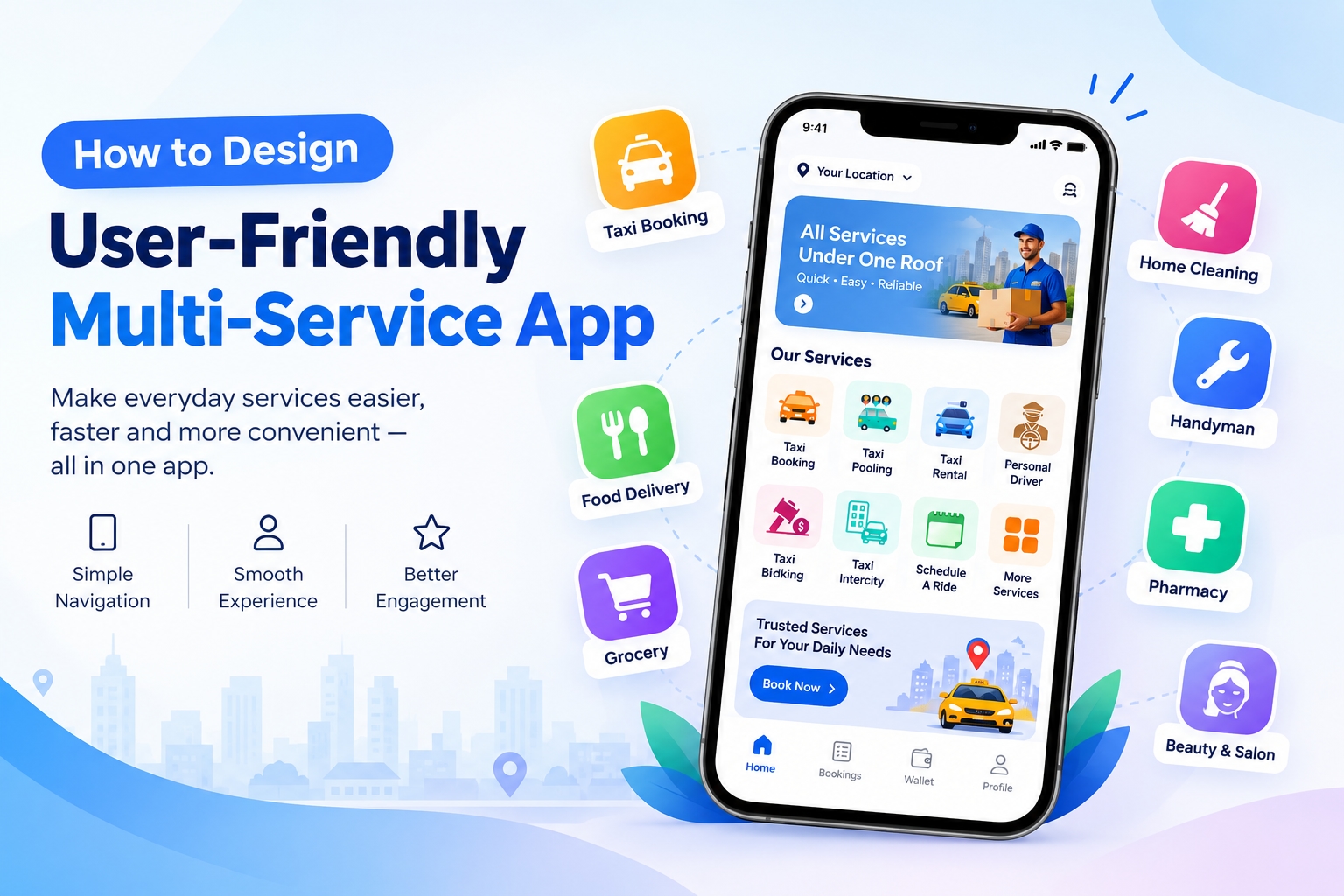
A multi-service app brings several everyday services together under one digital platform. Users can book a taxi, order food, purchase groceries, hire a professional, schedule a home service, or access other on-demand solutions without switching between multiple applications.
However, combining many services into one app does not automatically create a good user experience. The biggest challenge is making the platform simple, intuitive, fast, and easy to navigate despite having multiple service categories.
A well-designed multi-service app should help users find what they need quickly, complete a booking with minimal effort, and easily track their orders or services. At the same time, businesses need efficient tools to manage customers, service providers, payments, orders, promotions, and operations.
This guide explains the key principles, features, and strategies for designing a user-friendly multi-service app.
What Is a Multi-Service App?
A multi-service app is a mobile platform that provides access to several services through a single application.
Instead of downloading separate apps for different needs, customers can use one platform to access multiple categories such as:
Taxi and ride booking
Food delivery
Grocery delivery
Parcel delivery
Pharmacy delivery
Home cleaning
Plumbing
Electrician services
Beauty and salon services
Laundry
Handyman services
Appointment booking
Local shopping
The exact services depend on the target market and business model.
The concept is often associated with super apps, but a multi-service platform can also focus on a specific region or industry.
Why User Experience Matters in a Multi-Service App
A multi-service platform can become complicated because it contains many features and service categories.
If users cannot quickly understand where to go, they may abandon the app before completing a transaction.
Good UX design can help businesses:
Simplify navigation
Increase completed bookings
Improve customer retention
Reduce support requests
Increase repeat purchases
Make new services easier to discover
Build customer trust
The objective should not be to display every feature on the home screen. Instead, the design should guide users toward the action they want to complete.
1. Understand Your Target Users
Before designing the interface, understand who will use the application.
Different audiences may have different expectations.
For example, a taxi customer may primarily want to:
Enter a destination
Select a ride
See the fare
Confirm the booking
Track the driver
A food delivery customer may need:
Restaurant discovery
Menu browsing
Cart management
Delivery address
Payment
Order tracking
Therefore, the UX should be based on user journeys, not simply the number of available features.
Identify:
Who are your primary customers?
What services do they need most?
How frequently will they use the app?
What problems are they trying to solve?
Which actions should require the fewest steps?
These answers can guide the entire design process.
2. Keep the Home Screen Simple
The home screen is one of the most important parts of a multi-service application.
Showing dozens of service icons immediately can make the interface overwhelming.
Instead, organize services into clear categories.
For example:
Popular Services
Ride
Food
Grocery
Parcel
Home Services
Cleaning
Plumbing
Electrical
Repair
Other Services
Beauty
Laundry
Pharmacy
Shopping
You can also personalize the home screen based on user behavior.
For example, if a customer frequently orders food, food delivery can appear prominently without hiding other services.
3. Use Clear Service Categories
Service categorization makes a large application easier to understand.
Instead of displaying every service individually, group related services.
For example:
Transportation
Taxi
Bike
Rental
Delivery
Food & Grocery
Restaurants
Grocery stores
Pharmacy
Home Services
Cleaning
Plumbing
Electrical
Appliance repair
Lifestyle
Salon
Laundry
Beauty
Categories should use simple names that customers immediately understand.
Avoid technical terminology that may confuse users.
4. Create a Consistent Navigation System
Users should not have to learn a different interface for every service.
Maintain consistent navigation patterns throughout the app.
For example:
Same header structure
Consistent button placement
Similar checkout experience
Consistent typography
Familiar icons
Standard confirmation screens
Consistent notification patterns
A user who understands how to book a taxi should not feel lost when ordering groceries.
Consistency reduces the learning curve.
5. Reduce the Number of Steps
One of the most important UX principles is reducing unnecessary actions.
Suppose a customer wants to book a taxi.
A simplified flow could be:
Home → Taxi → Pickup → Destination → Ride Type → Payment → Confirm
For food delivery:
Home → Food → Restaurant → Menu → Cart → Address → Payment → Order
The exact number of steps will vary, but unnecessary screens and repeated information should be minimized.
If the customer's address is already saved, there is no reason to ask them to enter it again.
6. Make Search Powerful and Simple
Search becomes increasingly important as the number of services increases.
A good search experience can help customers quickly find:
Services
Restaurants
Products
Professionals
Locations
Vendors
Previous orders
Consider supporting:
Search suggestions
Recent searches
Popular searches
Category filters
Location-based results
Voice search where appropriate
For example, searching for "plumber" could show available plumbing professionals instead of forcing the user to navigate through several categories.
7. Personalize the User Experience
Personalization can make a multi-service app feel easier to use.
The application can highlight:
Recently used services
Favorite vendors
Previous orders
Saved addresses
Frequently booked services
Recommended services
Personalized promotions
For example:
Book Again
could display a restaurant, taxi service, grocery store, or professional the customer frequently uses.
Personalization should remain helpful rather than intrusive.
8. Make Service Details Easy to Understand
Before booking or purchasing, users need enough information to make a decision.
Depending on the service, display relevant details such as:
Price
Estimated time
Ratings
Reviews
Availability
Service description
Distance
Cancellation policy
Delivery fee
Additional charges
For home services, users may also need information about:
Professional experience
Service coverage
Estimated duration
Pricing structure
Clear information reduces uncertainty before checkout.
9. Design a Simple Booking Process
The booking flow should focus on the information necessary to complete the transaction.
For example, a home cleaning service might require:
Select Service → Choose Date → Select Time → Enter Address → Review Price → Payment → Confirm
Avoid asking users for unnecessary information.
Where possible, use:
Saved addresses
Saved payment methods
Default preferences
Previous booking information
This can significantly reduce friction for returning customers.
10. Build an Easy Checkout Experience
Checkout is a critical stage because users are close to completing a transaction.
The checkout screen should clearly display:
Selected service
Quantity or service details
Address
Pricing
Taxes or fees
Discounts
Payment method
Final amount
Avoid surprising customers with unexpected charges at the final stage.
A clear price breakdown can improve transparency and trust.
11. Offer Multiple Payment Options
Different users prefer different payment methods.
Depending on the market, a multi-service app may support:
Credit cards
Debit cards
Digital wallets
Bank transfers
Local payment methods
Cash payments where appropriate
Users should be able to securely save preferred payment methods if the platform supports it.
Payment failures should also provide clear instructions instead of generic error messages.
12. Provide Real-Time Order Tracking
Tracking can be especially important for services involving transportation or delivery.
Customers may want to know:
Where the driver is
Where their order is
Estimated arrival time
Service status
Provider details
Delivery progress
A simple status flow can be:
Order Confirmed → Preparing → Picked Up → On the Way → Delivered
For home services:
Booking Confirmed → Professional Assigned → Professional Arriving → Service Started → Completed
Clear status updates reduce uncertainty.
13. Make the App Accessible
User-friendly design should work for as many people as possible.
Consider:
Readable text
Adequate contrast
Large touch targets
Clear icons
Simple language
Screen-reader compatibility
Accessible forms
Avoiding color-only instructions
Accessibility is particularly important when designing an application for a broad customer base.
14. Optimize App Performance
A beautiful interface cannot compensate for a slow application.
Users expect pages and interactions to respond quickly.
Performance optimization can include:
Compressing images
Optimizing API requests
Reducing unnecessary animations
Caching frequently used information
Optimizing database queries
Lazy loading content
Reducing application bundle size
Performance should be considered during design and development rather than treated as a final-stage activity.
15. Use Notifications Carefully
Notifications can help users stay informed about their bookings and orders.
Useful notifications include:
Booking confirmation
Driver assignment
Order status
Delivery updates
Appointment reminders
Payment confirmation
Service completion
However, excessive promotional notifications can frustrate users.
Give customers control over notification preferences whenever possible.
16. Make Customer Support Easy to Find
Problems can occur with payments, bookings, deliveries, or service providers.
Users should be able to quickly access support.
A multi-service app can provide:
In-app chat
Help center
FAQs
Ticket support
Order-specific support
Call support where applicable
Support should also understand the context of the user's problem.
For example, if a customer reports an issue with an order, the support system should already have access to the relevant order information.
17. Design Separate Interfaces for Different Users
A multi-service ecosystem normally involves several user groups.
Customer App
Customers can:
Discover services
Place orders
Make bookings
Pay
Track services
Review providers
Service Provider App
Providers can:
Receive requests
Accept or reject jobs
Manage availability
Navigate to customers
Update service status
View earnings
Vendor Panel
Businesses can:
Manage products
Manage orders
Update prices
Manage inventory
View customers
Monitor sales
Admin Panel
Administrators can:
Manage customers
Manage providers
Manage vendors
Configure services
Monitor transactions
Manage commissions
Create promotions
Generate reports
Each interface should be designed around its specific user's objectives.
18. Test the Design Before Launch
Do not wait until development is complete to test the user experience.
Create prototypes and test important journeys such as:
Booking a ride
Ordering food
Buying groceries
Hiring a professional
Making a payment
Cancelling an order
Contacting support
Observe where users hesitate or make mistakes.
Then simplify those areas.
Useful testing methods include:
Prototype testing
A/B testing
Usability testing
Heatmaps
Session analysis
Customer feedback
Conversion analysis
19. Use Analytics to Improve UX
After launch, analytics can reveal how customers actually use the application.
Track metrics such as:
Registration completion rate
Service discovery rate
Booking conversion rate
Cart abandonment
Checkout abandonment
Repeat bookings
Cancellation rate
Average order value
Customer retention
Support requests
For example, if many users open a service but leave before checkout, the business can investigate whether pricing, required information, payment options, or the booking flow is causing friction.
20. Design for Scalability
A multi-service application may start with only two or three services and expand later.
The interface should therefore be designed with future growth in mind.
A scalable architecture can make it easier to add:
New service categories
New cities
New vendors
New payment methods
New user types
New promotions
New business models
The goal is to avoid redesigning the entire application every time a new service is introduced.
Common UX Mistakes in Multi-Service Apps
Several design mistakes can make a multi-service platform difficult to use.
Too Many Features on the Home Screen
Showing everything at once can create visual clutter.
Complicated Navigation
Users should not need several taps to find commonly used services.
Long Registration Forms
Collect only the information necessary to create an account.
Hidden Pricing
Users should understand the expected cost before confirming a transaction.
Inconsistent Interfaces
Different services should not feel like completely separate applications.
Too Many Notifications
Only send notifications that provide meaningful value.
Poor Error Messages
Instead of saying "Something went wrong," explain what happened and what the user can do next.
Key Features of a User-Friendly Multi-Service App
A practical feature set can include:
Feature | Purpose |
|---|---|
Service Categories | Organize multiple services |
Smart Search | Help users quickly find services |
User Profiles | Store customer information |
Saved Addresses | Speed up bookings |
Multiple Payments | Provide payment flexibility |
Real-Time Tracking | Show order/service progress |
Ratings & Reviews | Support informed decisions |
Push Notifications | Provide timely updates |
Favorites | Enable quick repeat actions |
Booking History | Access previous transactions |
Promotions | Support marketing campaigns |
In-App Support | Resolve customer issues |
Analytics | Understand user behavior |
Admin Dashboard | Manage the ecosystem |
Final Thoughts
Designing a user-friendly multi-service app is less about putting every possible feature into one application and more about organizing those features around the customer's needs.
The strongest approach is to create a simple home screen, organize services logically, reduce booking steps, provide transparent pricing, simplify payments, offer real-time tracking, and maintain consistent navigation throughout the platform.
At the same time, businesses should design separate but connected experiences for customers, service providers, vendors, and administrators.
As the platform grows, analytics and user feedback can help identify friction points and improve the experience continuously.
A well-planned multi-service app development strategy can therefore provide a scalable foundation for businesses that want to bring multiple on-demand services together under one digital platform.
Frequently Asked Questions
1. What is a user-friendly multi-service app?
A user-friendly multi-service app is a platform that allows customers to access multiple services through simple navigation, clear information, easy booking, secure payments, and convenient tracking.
2. What services can be included in a multi-service app?
Services can include taxi booking, food delivery, grocery delivery, parcel delivery, pharmacy delivery, home cleaning, plumbing, electrical services, beauty services, laundry, shopping, and other local on-demand services.
3. How do I make a multi-service app easy to navigate?
Use clear service categories, simple navigation, prominent search, consistent interface elements, personalized recommendations, and a limited number of steps for common tasks.
4. What should be included on the home screen?
The home screen can include frequently used services, service categories, search, promotions, recent bookings, favorites, and personalized recommendations.
5. How many steps should a booking process have?
There is no universal number, but the process should contain only the steps necessary to complete the booking. Saved addresses, preferences, and payment details can reduce unnecessary actions.
6. Should a multi-service app have one checkout system?
A unified checkout experience can make the platform easier to use, but individual services may require different information or payment workflows.
7. How important is real-time tracking?
Real-time tracking is particularly valuable for taxi, delivery, and other location-based services because it allows customers to monitor progress and estimated arrival times.
8. How can I improve customer retention?
Businesses can use reliable service delivery, personalized experiences, loyalty programs, convenient repeat bookings, transparent pricing, relevant notifications, and responsive customer support.
9. What panels are required for a multi-service platform?
Depending on the business model, a platform may require a customer app, service provider app, vendor panel, and admin dashboard.
10. How much does it cost to develop a multi-service app?
The cost depends on factors such as the number of services, platforms, features, integrations, UI/UX complexity, backend architecture, location, and development approach. A basic platform will generally require less investment than a large multi-service ecosystem with multiple user panels and advanced integrations.
11. Can AI be integrated into a multi-service app?
Yes. AI can be used for recommendations, customer support, search, personalization, demand analysis, fraud detection, automation, and other use cases depending on the platform.
12. How can I test a multi-service app before launch?
Create an interactive prototype and test key user journeys with representative users. After launch, combine usability feedback with analytics to identify and resolve friction points.
13. Can a multi-service app start with only a few services?
Yes. Businesses can launch with a focused selection of services and expand the platform as customer demand, provider availability, and operational capabilities grow.
14. What makes a multi-service app successful?
A combination of intuitive UX, reliable service delivery, appropriate service selection, efficient operations, secure payments, strong customer support, and continuous product improvement can contribute to a successful platform.