A five-second clip can finish neatly and still restart badly. The last image may look close to the first, yet the subject jumps, the light changes or the movement seems to hit a wall when playback begins again.
Plan the return before generating. Give the action somewhere to go, a reason to come back and a deliberate rhythm at the join. That is a more useful starting point than adding “seamless loop” to an otherwise unfinished idea.
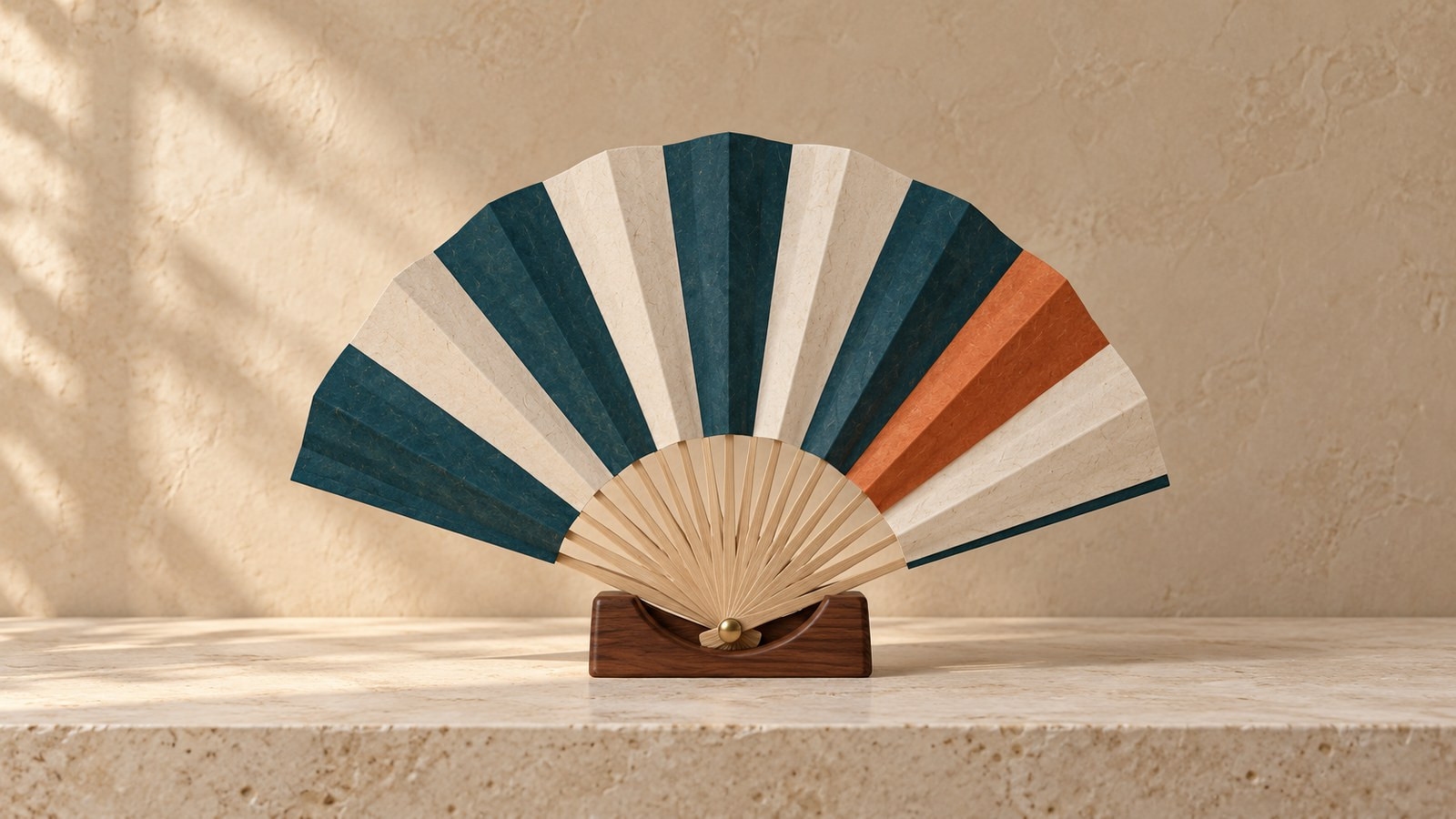
The example here is an invented decorative paper fan in a fixed wooden cradle. It begins spread, gathers inward and returns to the same spread pose. The camera, brass pivot and cradle are intended to remain still.
This AI-assisted article is written from a sharing blogger’s perspective. The examples describe a proposed workflow; no example video has been generated.
Choose a cycle, not just two similar pictures
Describe the action as a complete sentence with a return: “The fan gently gathers inward, then spreads back to its original pose.” Compare that with “The fan opens.” The second direction has a destination but no route back.
A useful cycle has a recognizable change in the middle. Otherwise, identical endpoint images may encourage an almost still result. For this fan, the intended middle pose is narrower, with the pleats gathered around the same pivot; it remains partly open rather than closing into a straight bundle.
Also decide where the cycle should slow down. This plan treats the wide pose as a gentle resting point. The fan should settle there before it starts gathering again. A brief, intentional pause can suit the design, but an unexpectedly long hold may make the repeat feel stalled.
This is one creative choice, not a universal loop formula. A rotating pattern might need continuous motion through the join instead. Choose the rhythm that belongs to the action, rather than assuming every loop should stop at its boundary.
A first and last frame loop still needs a middle
Keep two clean input files: one for the start and one for the intended return. For this example, the return reference is a copy of the starting illustration. Its camera, colors, fan, light and cradle therefore match exactly as prepared artwork.
That is a reference choice, not a tested submission or a promise of matching generated frames. The illustration in the middle of the plan below was prepared separately to clarify the intended inward movement. It is not a third image to upload.
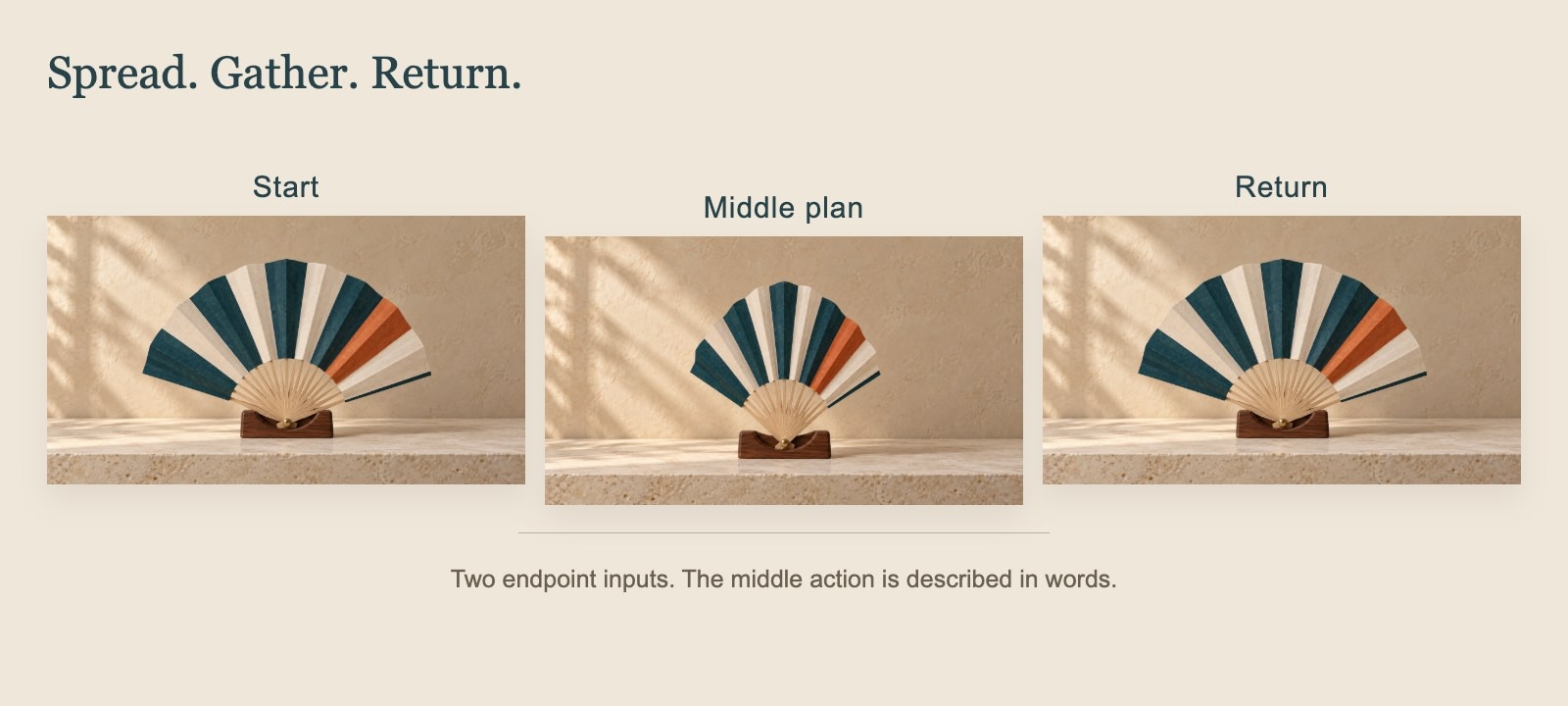
Write down what each part contributes:
Start: the fan is spread, the orange accent leaf is on the right and the pivot stays in its cradle.
Middle: the fan gathers inward around that pivot while the camera and background remain fixed.
Return: the fan spreads back toward the starting silhouette and settles before another repetition.
Do not send the labelled three-pose illustration as one source image. Use the two separate, unlabelled endpoint files, and describe the middle action in words.
Matching the source images removes one source of ambiguity, but it cannot specify every frame between them. A future result could hold still, change the number of ribs, move the pivot or miss the intended return. Those remain things to inspect, not outcomes already demonstrated here.
Write motion prompts that include the way back
Use the motion brief to explain the whole cycle. Name the movement, the stationary anchors and the intended pacing. Avoid asking for a camera orbit, changing sunlight and unfolding paper in the same short attempt.
For the prepared fan references, a possible brief is:
Locked straight-on camera. Keep the wooden cradle, brass pivot, background and soft lighting fixed. During one five-second cycle, gently gather the spread paper fan inward around its pivot, keeping it partly open, then spread it back toward the original wide pose in the final reference. Preserve the teal, ivory and single terracotta accent leaf. Ease into and out of the movement so the fan briefly settles in the wide pose at the beginning and end. Add no hands, objects, text, camera movement, flicker or new ribs.
The middle is a target for the action, not an additional control frame. The wording asks for a gentle rest at the join; it does not prove the tool can deliver a particular easing curve or exact subsecond timing.
If a future attempt never gathers inward, clarify that movement before adding more decoration. If it gathers but does not reopen, focus the next revision on the return. Keep the intended cycle easy to explain in a single sentence.
Where VO4 AI fits in the plan
If you are searching for a free image to video generator no signup required, first prepare the action and references. Access conditions do not solve the creative problem of getting back to the beginning.
The VO4 AI free image-to-video generator is one optional place to try this two-image brief. Its free form, checked on October 29, 2026, shows five seconds, 480p and zero credits. In the image-guided workflow, add the first and last clean images in order, then the motion instruction. The text-only route is a separate option, not the route used in this plan.
Choose 16:9 for the landscape reference pair; 9:16 and 1:1 are also listed on the page. No account is required, but verification is still required to submit. The page describes unlimited attempts, which may queue. Wording such as powered by minimax h3 should be understood as page/model attribution, not independent verification of the backend.
A reader who chooses to run an attempt can preview a result and download a useful candidate. The page describes history as local to that page and browser. This guide has not generated a clip or tested output quality, speed, audio or commercial-use rights. The fan is planning artwork, not a real product demonstration.
Inspect the join in an actual image-to-video loop
Once a real candidate exists, watch the transition from its end back to its beginning. Use a player's repeat option if available, or place two copies back to back in a separate editor. That review step is outside the VO4 workflow described here; no automatic looping or loop-repair feature is assumed.
Check the join in two ways. First, compare the visible state on either side. Then watch the movement into and out of it.
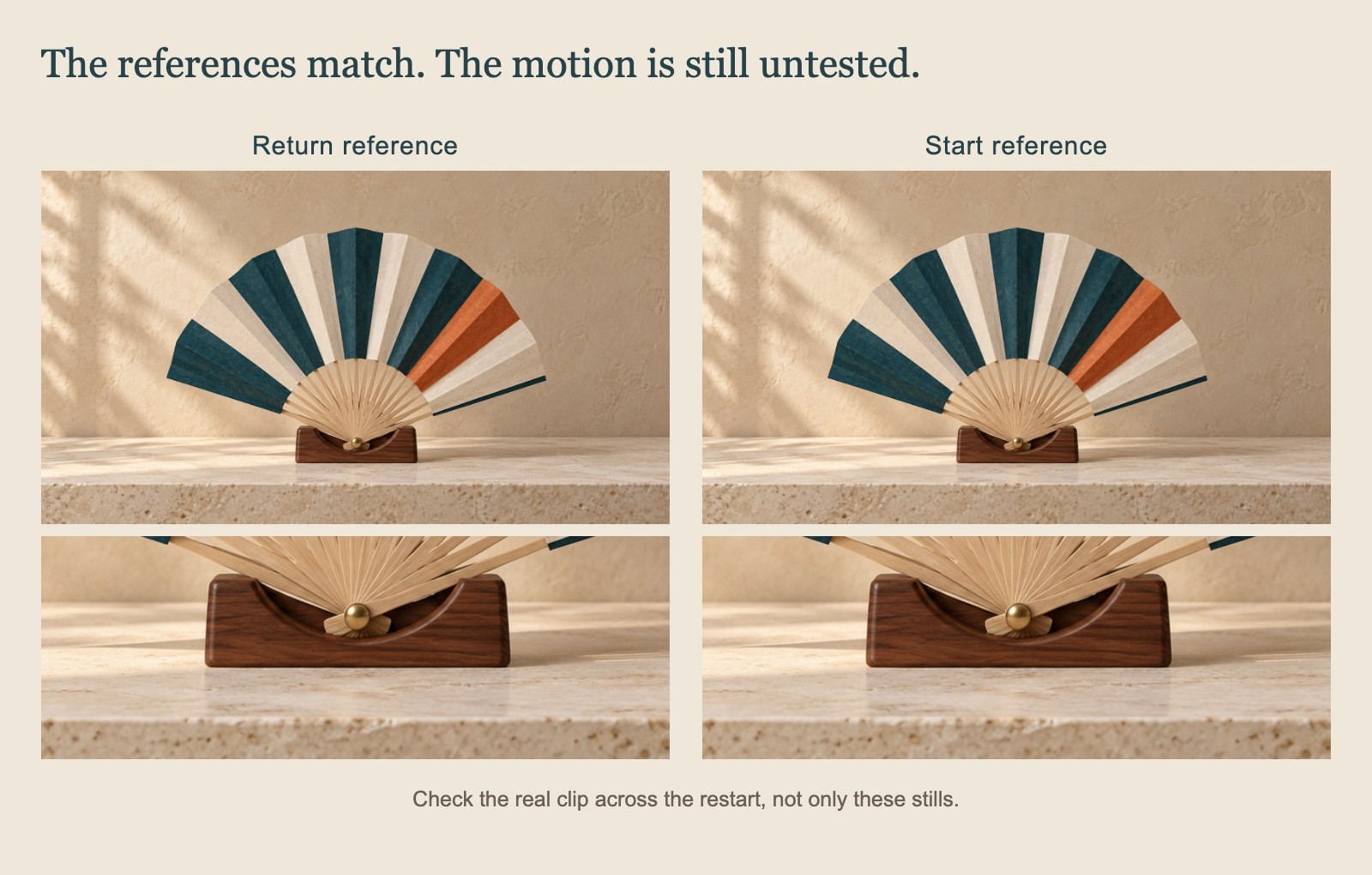
For the fan, look at these details:
Position and shape: does the pivot stay put, does the cradle shift, and does the spread silhouette return without popping?
Light and framing: do the shadows, background brightness, camera scale or viewpoint jump?
Direction and speed: does the fan arrive moving one way and restart with an unexplained reversal, or stop abruptly before moving again?
Timing: does the intended brief rest feel calm, or does the cycle contain a distracting frozen stretch?
A pair of matching stills cannot answer the last two questions. The frames just before the end and just after the restart matter because they show how the motion approaches the boundary. A clean-looking last frame can still be followed by a jerk.
The comparison image shows only that the prepared references share the same pivot and cradle. It is not a report that a generated clip passed these checks.
Keep, revise or leave it as a still
Keep a future candidate only if the cycle communicates the intended action and the repeated join is acceptable at its intended display size. If the fan's identity or the fixed camera has drifted, improving the brief or source material may be more useful than hiding the problem with an edit.
Trimming, crossfading or arranging repeated playback belongs to a separate editor or player. A crossfade can also make two mismatched shapes briefly appear on top of each other, so it needs its own visual review. Do not treat a transition effect as proof that the motion has become continuous.
It is fine to stop at the illustration. The goal is not to make every still move; it is to make a short motion return in a way that serves the design. Plan the complete cycle, then judge the real join when there is a real clip to inspect.