Introduction
Managing email infrastructure, system upgrades, and accessible data archives are core operations that are critical to today’s IT departments and enterprise environments. The migration from open desktop email clients to Microsoft enterprise environments such as MS Outlook or Exchange Server can often be fraught with serious technical difficulties, particularly in the conversion of individual email files for legal discovery, forensic investigation or modular archiving.
Organisations that rely on open format email applications such as Windows Live Mail, Mozilla Thunderbird, Apple Mail or eM Client often experience integration problems when migrating message files into Microsoft Outlook. The EML file format is designed to conform to RFC 822/5322 and to be used on non-Microsoft platforms. When importing thousands of stray. Direct conversion of EML files to native Outlook environments, without intermediate software, can cause degradation of metadata, loss of attachments, and corrupted folder structures. The Softaken EML to MSG Converter solves this bottleneck by allowing IT admins, legal teams, and individual users to seamlessly and securely export batch EML files to compliant, standalone Outlook .msg files.
File Formats Summary
It is instructive to look at the basic structure and roles of these two single-message file formats to see why special conversion tools are needed:
Format Attribute | EML (Electronic Mail) | MSG (Outlook Mail Message) |
Developer / Standard | Open MIME standards RFC 822/5322 | Proprietary Compound file format by Microsoft |
Primary Applications | Mozilla Thunderbird, Apple Mail, eM Client, Windows Live Mail | Microsoft Outlook, Exchange Server |
Structure | Clear text/MIME encoded with headers, message body, and attachments | Stream of bits which retains properties specific to Outlook (MAPI) |
Use Case | Message storage across platforms and raw e-mail export | Outlook archiving, drag-and-drop storage, and enterprise compliance |
• EML (Electronic Mail) - A common open single-message file format utilised by desktop clients and OS platforms. An EML file is just a plain text body, headers, HTML code, and attachments in MIME format.
• MSG (Outlook Mail Message) – A proprietary single-message file format used only by Microsoft Outlook and Exchange. An MSG file preserves the native Outlook MAPI properties such as flags, user-defined properties, embedded graphics, and exact header information so that it is compatible with the Windows and Outlook environment.
Manual Process Vs. Software Solution
The Manual Approach
If you don’t have a special program for this, going from EML to MSG will require several steps and workarounds:
1. Import .eml files into an intermediate email client configured with an IMAP/Exchange account.
2. Install the source email client and Microsoft Outlook on the same workstation.
3. Drag and drop selected emails from the opened client folders to Outlook folders or local Windows Explorer directories to force conversion to .msg objects.
Disadvantages of Manual Workarounds:
• Time Investment: The app crashes, and the system locks up when trying to pull thousands of individual EML files in small batches.
• Loss of Metadata: Important header attributes (e.g., To, From, CC, BCC, sent/received timestamps, Internet Message-IDs) are often changed or lost when moving messages by drag-and-drop.
• Formatting & Attachments Break: Inline images, hyperlinked references, file attachments, and non-English double-byte character sets (Unicode) tend to corrupt and detach from the main body.
The Software Solution
Expert software like Softaken EML to MSG Converter fully supports the automated conversion process. The engine reads source.eml files directly, supports native MAPI properties, and generates standard 100% compliant .msg files that are opened directly with Microsoft Outlook.
Advantages of Automating:
•Hierarchy and Structure Preservation: Keeps exact folder trees and sub-directory organisations.
• Full Header Preservation: Preserves all email headers, inline graphics, and rich-text/HTML formatting.
• Attachment Preservation: Extracts and re-embeds all formats of attachments as-is.
• Bulk Processing Speed: Automatically batch converts thousands of EML files to MSG format.
My Own Experience
Our department is part of a team that handles IT infrastructure and data compliance and routinely works on workstation modernisations, platform migrations, and focused legal discovery efforts. Below is a detailed description of our operational results with an emphasis on insights and real-world deployment:
• Identify your target audience
Enterprise IT Admins: Teams undertaking large-scale migrations of non-Outlook legacy clients (e.g., Windows Live Mail or Thunderbird) to Microsoft 365 or Outlook desktop environments.
Legal & Forensics Professionals: Individuals who extract raw EML from discovery tools and need to convert them to MSG so they can be reviewed in Outlook-based litigation software.
For Small Business Owners & Individual Users: For non-technical users who want to access old .eml email backups in new Outlook profiles using a simple desktop tool without any complex reconfigurations of servers.
• The Enterprise Operational Challenge: We were recently tasked with a migration for a financial services client that required us to convert over 85,000 archived EML files (from legacy Windows Live Mail and Apple Mail backups) into individual MSG files to feed into an automated compliance indexing engine.
• Execution & Workflow: Rigid Data Loss Prevention (DLP) protocols and tight project deadlines meant no room for manual drag and drop. Our system admin has installed the Softaken EML to MSG Converter.
• Performance Results: The application was able to process multi-gigabyte folder trees of EML files without any slowdown or stability issues on the system. It accurately preserved the complex Internet header attributes, seamlessly mapped the non-English character sets (including CJK characters), and retained all the multi MB PDF/ZIP attachments linked to their respective MSG files. It automated in hours what would have taken weeks of manual drag & drop work, in a secure, compliant, and zero data loss manner.
What do I like about this software :
• 100% Data Integrity: 100% data is not lost or changed, including the exact Header properties (To, From, CC, BCC, Date, Message ID), embedded attachments, and double-byte character sets (e.g., Chinese, Japanese or Cyrillic text).
• Batch Processing Engine: Convert thousands of EML files at once with two file selection modes (Select File and Select Folder) – ideal for large-scale enterprise deployments.
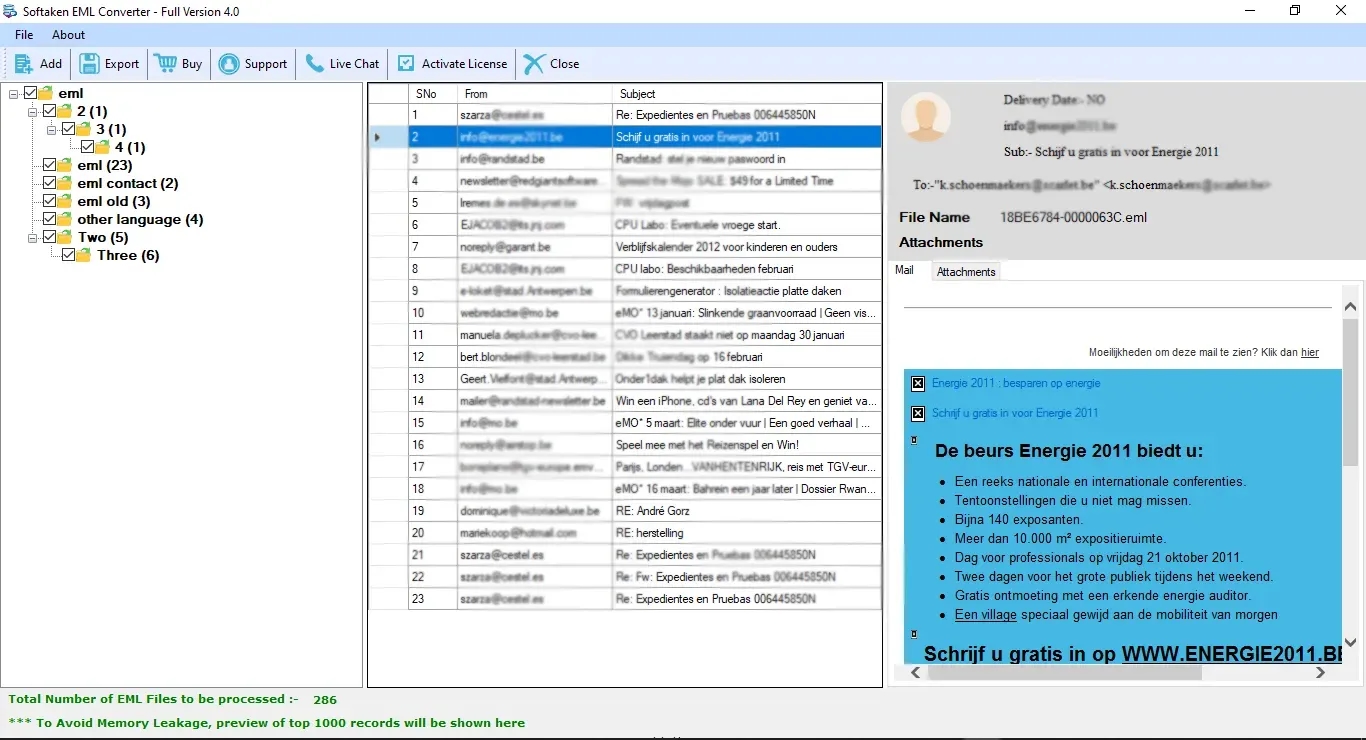
• Built-in Data Preview: Gives a clean, structured preview of loaded EML files before the conversion process, so administrators can review the email content and attachment headers before execution.
• Target Directory Selection: Users can choose any of the local drives, network share, or any newly created folder as the output destination for generated MSG files.
• Lightweight & High Compatibility: It is light on system resources and works flawlessly on all versions of modern Windows OS (Windows 11/10/8.1/8/7 and Windows Server editions).
Steps for using this software
1. Download & Install: Required
Download the installer from the official Softaken site and run the setup wizard on your Windows system.
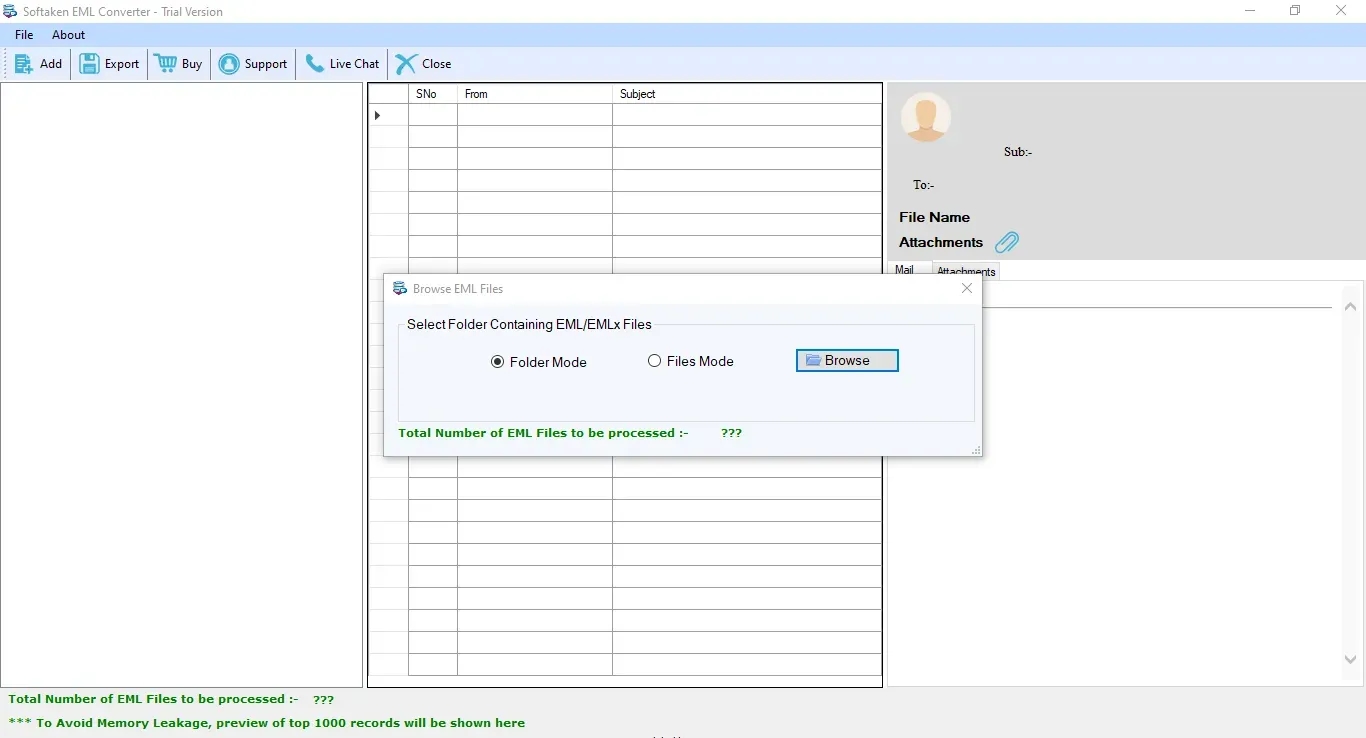
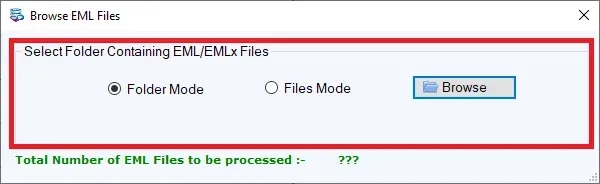
2. Import EML Files
Open the software interface and click on Select File or Select Folder to add individual .eml files or entire directory trees with EML messages.
3. Email Preview Content
You can view loaded mail items in the built-in preview pane to inspect message body text, header attributes, and attached files.
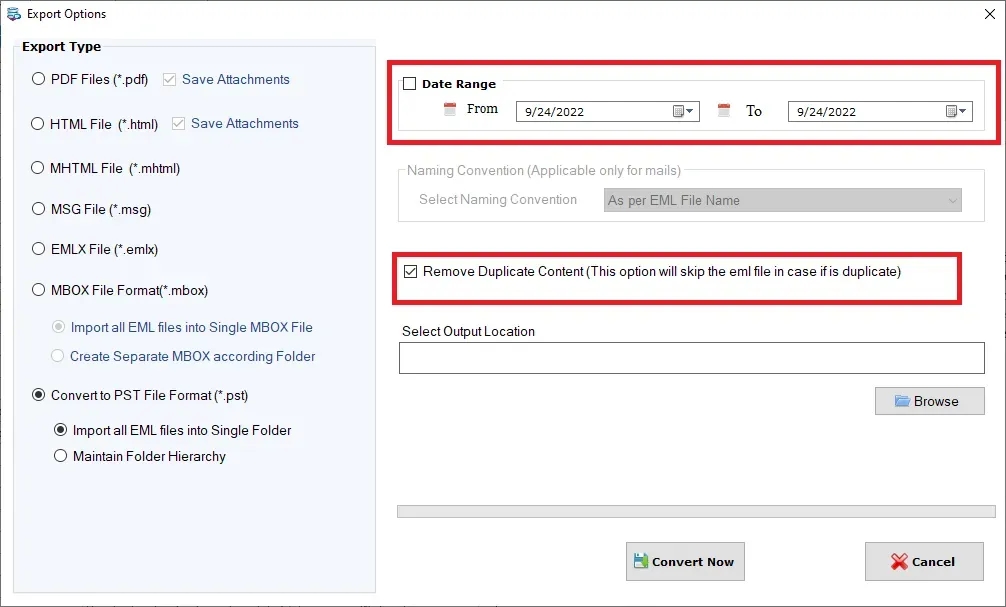
4. Choose MSG as the output format.
Choose the MSG export format you want to use from the export options menu.
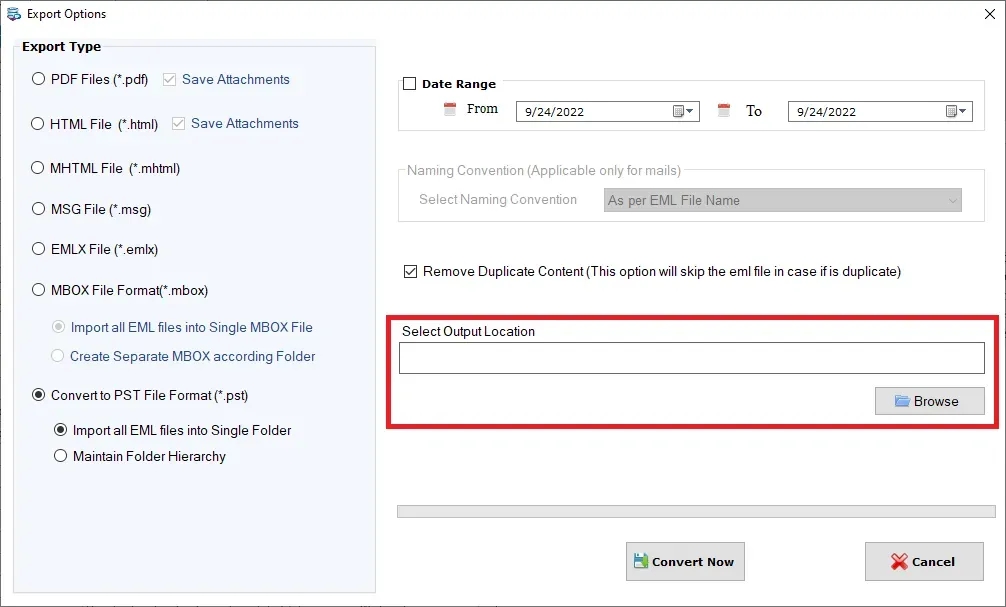
5. Where is the output
Click the Browse button to pick the local or network folder where you want to save the converted MSG files.
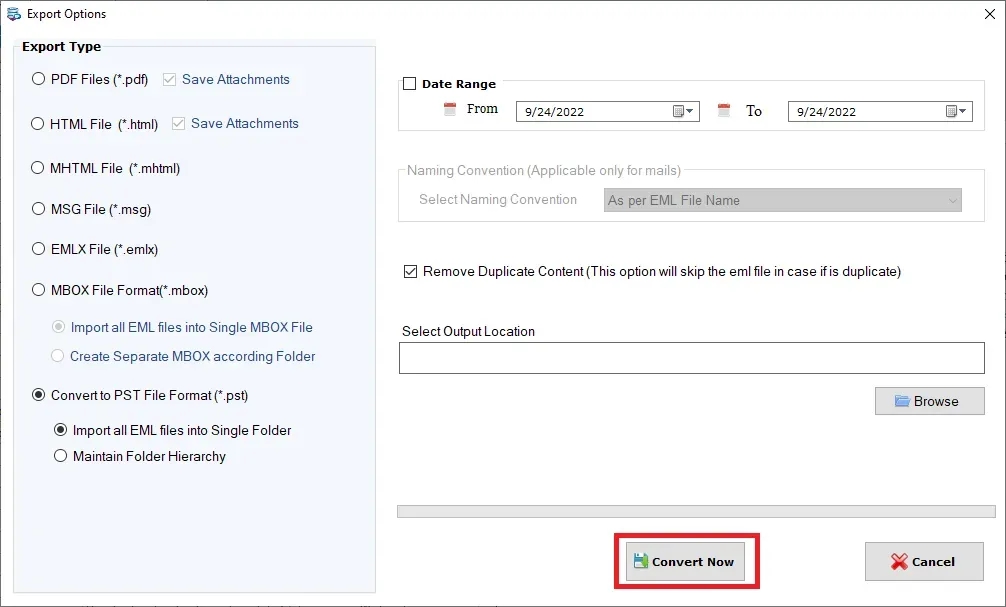
6. Run Convert:
Now press the Convert Now button to start automatic batch conversion.
Benefits and Drawbacks of Software
Benefits
• Clean and Intuitive Interface: Easy-to-use UI for the non-technical user and the seasoned system administrator.
• High Speed Batch Engine: Efficiently processes with the ability to process thousands of EML files without any threat of performance lag and/or crashes.
• Complete Metadata Retention: 100% retention of email headers, folder context, inline graphics, attachments, and unique character sets.
• Standalone Operation: There is no need to have Microsoft Outlook and Exchange Server installed and configured on the machine during the conversion process.
• Free Demo Version: Evaluation Edition allows you to convert 10 EML items per folder so the software competency can be checked before buying the license.
Drawbacks
• Windows-Only Application: Designed for Windows OS only, no support for macOS.
• Corrupted File Limitation: Severely truncated or physically corrupted EML files may require repair before conversion.
Licensing Possibilities
Softaken provides flexible licensing for different deployment sizes, including:
• Personal License: For individual users who want to move mailboxes between two personal PCs.
• Business License: For small to medium organisations that have the tool installed on multiple admin workstations within a single office.
• Enterprise License: Provides complete operational coverage for large corporations, data centres, and IT service providers that require unlimited usage in multiple geographic locations.
Final Verdict
Softaken EML to MSG Converter is a highly efficient, reliable, and accurate utility for system administrators, enterprise IT teams, legal discovery experts, and individual users to convert EML files into native Microsoft Outlook MSG messages. It removes operational risks of metadata loss, broken attachments, and manual downtime, making EML to MSG migration fast, safe, and easy.
Questions & Answers (FAQ)
1. Is Microsoft Outlook installed on the machine where conversion is taking place?
No, Softaken EML to MSG Converter is a standalone application that does not require installation and configuration of Microsoft Outlook on your PC to process EML files.
2. Does the tool keep email attachments and inline images?
Yes, all attachments (PDFs, docs, ZIPs, etc) embedded in the email, inline images, hyperlinked URL structures, and rich text/HTML formatting are extracted and preserved in output MSG files.
3. Is there any limit on file size for conversion of a large EML folder?
No, the application is designed to process EML batch directories of any size (no artificial limits or performance degradation).
4. Can EML files exported from Apple Mail or Thunderbird be imported?
Yes, the software can import standard EML files exported from all major email clients like Mozilla Thunderbird, Apple Mail, Windows Live Mail, eM Client, and Entourage.