When these activities are managed manually or through different software tools, things can quickly become difficult to organize. Data may be duplicated, important information can be missed, and administrative teams may spend too much time on routine work.
This is where a School ERP Software Development Company can help. A modern school ERP brings different school operations together in one centralized platform, making everyday management simpler, faster, and more organized.
What Is School ERP Software?
School ERP software is a digital management system that helps schools manage their academic and administrative operations from one platform.
Instead of using separate spreadsheets, registers, and applications for different activities, schools can manage important information through a connected ERP system.
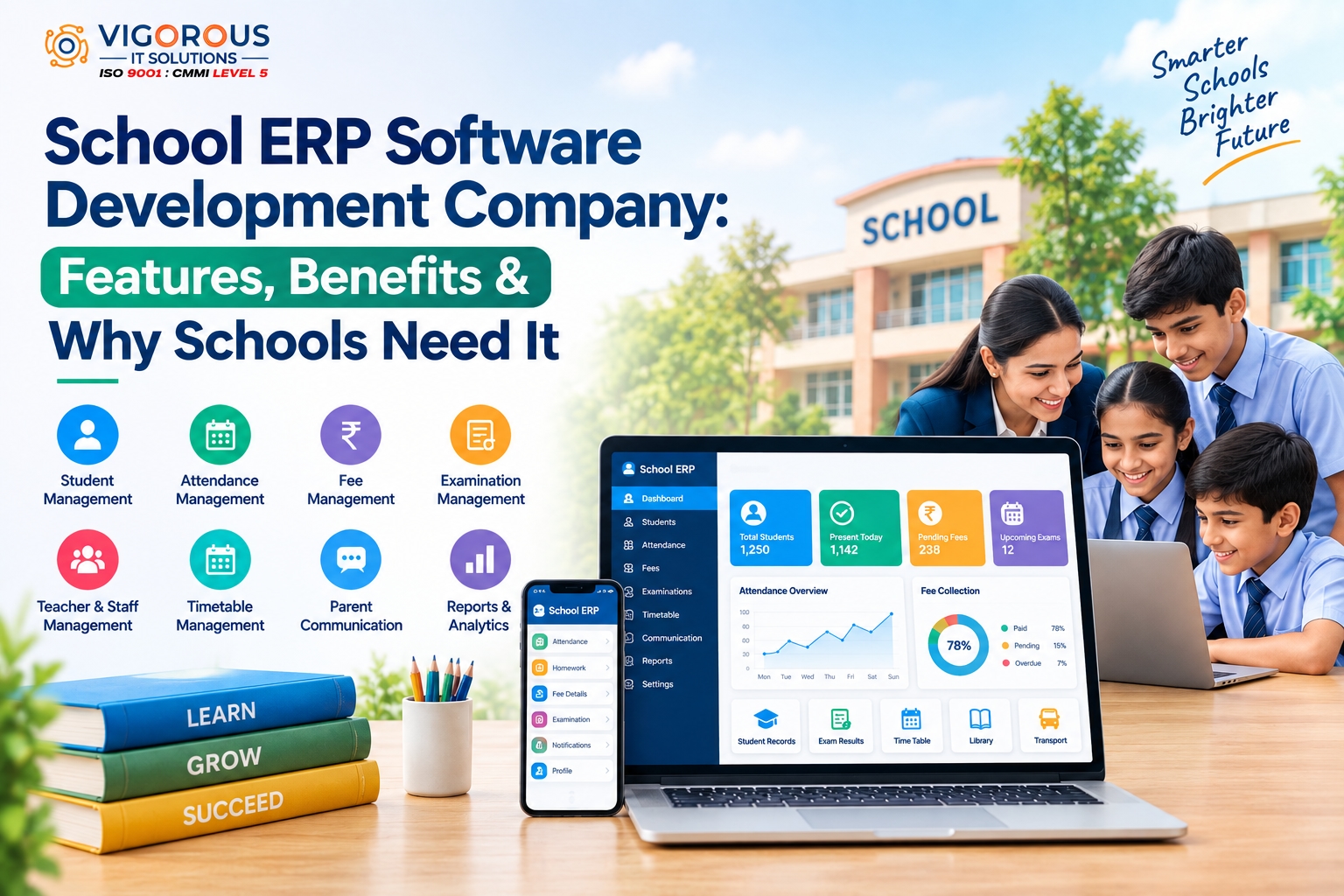
Depending on the school's requirements, a school ERP can include modules such as:
Student management
Attendance management
Fee management
Examination management
Teacher and staff management
Timetable management
Homework and assignments
Parent communication
Library management
Transportation management
Payroll management
Reports and analytics
The goal is simple: bring essential school operations together and make them easier to manage.
Why Do Schools Need ERP Software?
Many schools still depend on paperwork, spreadsheets, and multiple disconnected tools. While these methods may work for small operations, managing a growing number of students, teachers, and administrative activities can become challenging.
A school ERP helps solve this problem by keeping information organized in one place.
For example, administrators can manage student records, teachers can update attendance and assignments, parents can receive important notifications, and management teams can view reports without depending on multiple systems.
This can save time and make day-to-day school operations more convenient.
Key Features of School ERP Software
A good school ERP should be designed around the actual needs of the institution. Some of the most useful features include:
1. Student Management
Student management is one of the core components of an ERP system. Schools can maintain student profiles, admission information, academic records, attendance history, and other relevant details in a centralized database.
This makes it easier for authorized staff to find and update student information whenever required.
2. Attendance Management
Taking attendance manually can take time, especially in schools with many students.
An ERP system allows teachers to record attendance digitally and maintain attendance histories. Schools can also generate attendance reports and, depending on the system, send notifications to parents about absences.
3. Fee Management
Managing school fees involves more than simply recording payments. Schools need to track fee structures, payment status, pending amounts, receipts, and transaction records.
A school ERP can organize these activities in one place. Online payment integration can also make it easier for parents to pay fees digitally.
4. Examination Management
Examination management becomes easier when marks, grades, schedules, and report cards are handled digitally.
Teachers can enter marks through the system, while administrators can create examination schedules and generate academic reports based on the school's requirements.
5. Timetable Management
Creating timetables manually can become complicated when there are multiple classes, teachers, subjects, and rooms.
A digital timetable module can help administrators organize schedules and make updates more efficiently when changes are required.
6. Teacher and Staff Management
Schools can also use ERP software to maintain staff information, attendance, leave records, schedules, and other administrative details.
This gives management teams a centralized view of staff-related activities.
7. Parent Communication
Good communication between schools and parents is essential.
An ERP can help schools share announcements, attendance updates, examination information, homework, fee reminders, event notifications, and other important updates through digital channels.
8. Homework and Assignment Management
Teachers can share assignments, homework, study materials, and instructions digitally.
Students and parents can access the information without relying entirely on printed notices or physical communication.
9. Library Management
A library module can help schools maintain information about books, members, issue and return records, and due dates.
This makes it easier for librarians and administrators to keep track of library activities.
10. Reports and Analytics
School management needs accurate information to make informed decisions.
ERP dashboards and reports can provide insights into areas such as attendance, fees, academic performance, student records, and staff activities.
Benefits of School ERP Software
Implementing a school ERP can provide several practical benefits.
Saves Time
Automating repetitive tasks can reduce the amount of manual work performed by teachers and administrative staff.
Reduces Paperwork
Digital records can reduce the need for maintaining large amounts of physical documentation.
Keeps Data Organized
Instead of searching through multiple files and spreadsheets, authorized users can access relevant information from a centralized system.
Improves Communication
Schools can communicate important information to parents, students, and staff more quickly through notifications and digital updates.
Supports Better Decision-Making
Reports and dashboards can give school administrators a clearer understanding of daily operations and academic activities.
Improves Accessibility
With web and mobile access, authorized users can access important school information from different devices, depending on the ERP's setup.
Supports School Growth
A scalable ERP can grow with the institution. Schools can add users, modules, branches, and integrations as their requirements change.
Custom School ERP vs Ready-Made ERP
Schools generally have two options: choose a ready-made ERP or develop a custom solution.
A ready-made ERP can be useful when a school needs standard features and wants to start quickly. However, customization options may vary from one platform to another.
Custom school ERP development gives institutions greater control over the software. They can choose the modules, workflows, user roles, integrations, and features that match their specific requirements.
For example, a school operating multiple branches may need centralized administration and branch-level reporting. A custom ERP can be designed around these requirements.
How to Choose a School ERP Software Development Company
Selecting a development partner is an important part of the project. Before making a decision, consider the following factors:
Development Experience
Look at the company's experience in developing web applications, mobile applications, databases, APIs, and cloud-based platforms.
Customization
The company should be able to understand your school's workflow and develop features according to your specific requirements rather than simply offering a fixed solution.
Security
School ERP systems can contain student, parent, teacher, and financial information. Security should therefore be considered throughout the development process, including user authentication, access permissions, data protection, and backups.
User-Friendly Design
Teachers, administrators, parents, and students may all use the platform. The interface should therefore be simple enough for different types of users to understand.
Integration Capabilities
Your ERP may need to connect with payment gateways, SMS services, email platforms, biometric systems, accounting tools, or other applications.
Technical Support
ERP development doesn't end after launch. Regular maintenance, security updates, bug fixes, performance improvements, and technical support are important for long-term reliability.
How Does School ERP Development Work?
A typical school ERP development project follows several stages.
1. Requirement Analysis:
The development team understands the school's processes, users, problems, and required features.
2. UI/UX Design:
The interfaces are designed for administrators, teachers, students, and parents.
3. Technology Planning:
The appropriate technologies, database, hosting environment, APIs, and integrations are selected.
4. Development:
The required modules are developed and connected to the central system.
5. Testing:
The software is tested for functionality, security, performance, compatibility, and usability.
6. Deployment:
After testing and approval, the ERP is deployed to the production environment.
7. Maintenance:
The system is regularly updated and improved according to changing requirements.
Can School ERP Be Connected With a Mobile App?
Yes. A school ERP can be connected with dedicated mobile applications for parents, teachers, students, or administrators.
Parents may use the application to check attendance, homework, fees, announcements, and examination information. Teachers can use it to update attendance, assignments, and academic information.
Mobile integration can make important school services more accessible and convenient.
It's worth noting that different industries have different software requirements. For example, businesses seeking astrology app development services may need features such as consultation, horoscope management, and appointment scheduling, which are very different from the modules required in a school ERP.
Why Customization Matters in School ERP Development
No two educational institutions operate the same way.
One school may need transportation and hostel management, while another may require multi-branch administration, advanced examination management, or specific reporting features.
Custom ERP development allows these requirements to be considered during the planning and development process.
Instead of adapting the school's workflow to a fixed system, the software can be designed around the institution's actual processes.
Conclusion
A school ERP can simplify many of the everyday challenges involved in running a modern educational institution. From student records and attendance to fees, examinations, communication, and reporting, an integrated ERP can bring important activities together in one platform.
When choosing a School ERP Software Development Company, schools should look beyond basic features. Development experience, customization, security, scalability, integrations, user experience, and ongoing technical support are all important factors to consider.
A well-planned ERP solution can help schools reduce repetitive administrative work, organize information more effectively, improve communication, and create a smoother experience for administrators, teachers, students, and parents.
Vigorous IT Solutions helps businesses and educational institutions turn their software requirements into customized digital solutions designed around their specific operational needs.