Introduction
An EML file is a single email message that contains sender information, recipients, time and date stamps, the body of the message and any attachments. Users require converting these files to PST, PDF, MSG or MBOX formats for Outlook migration, email archiving and access. The first choice you need to make is whether you want to use a free online EML converter or a paid desktop solution. Both solutions have pros and cons but the ideal option is dependent on your privacy concerns, number of files and your converting needs.
What is an Online EML Converter?
Online EML converter is a web-based utility that enables users to upload and convert email files directly from the web browser. It can be handy for rare conversions when installing software is not an option. However, users should review upload restrictions, supported formats, privacy policies and file processing procedures before uploading email data.
Advantages and Disadvantages
Online converters are convenient as you don't have to install anything. They might be good for just a few general files. They require a reliable internet connection. They can have file - size restrictions or batch processing restrictions. Uploading emails to a third-party server cause privacy concerns, particularly if the emails include confidential business or personal information.
What is Desktop EML Converter?
A Desktop EML converter is an application that runs on your computer to convert email files. Depending on the application, it can also offer alternative export formats, batch conversion, management of attachments and folder structure. Desktop apps are frequently a great choice for professionals and corporations that keep large email archives.
Advantages and Disadvantages
Desktop applications deal with files locally and execute larger conversion tasks and allow users more control over the workflow. Some tools also include preview features and advanced export options. Users, however, must download, install and configure the software and some capabilities require a paid subscription. Local processing may limit the amount of data shared with third-party servers, but users should verify the tool’s privacy practices.
Desktop EML Converter vs Online EML Converter: A Complete Comparison
1. Data Privacy and File Security
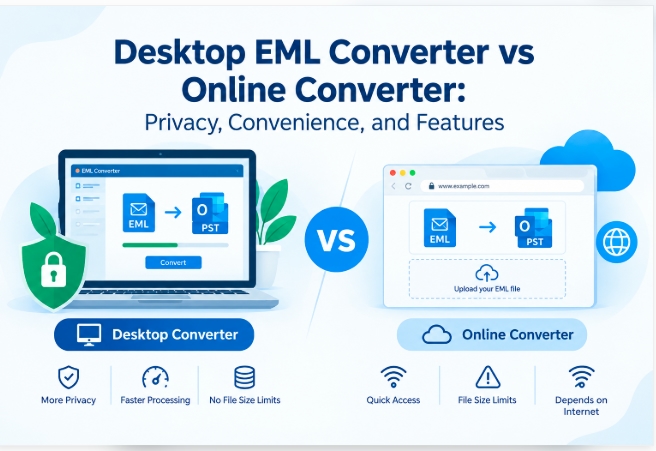
Usually online conversion includes uploading files to a service, so users should know how the provider maintains, processes and deletes their information. Desktop software can still do the conversion offline, in the local context. This can be selected for private email messages. But security depends on the machine and the software you are using.
2. File Size Limitations and Batch Conversion
Online tools has limitations on upload size, amount of files or number of conversion at simultaneously. Desktop converters generally have batch processing for those with large collections of EML or EMLX. Always check the actual limits of the tool you are using before converting a big archive.
3. Features and Customization
The tools available on the Internet are mostly confined to simple format conversion. Desktop program includes more features like keeping the folder structure, exporting attachments, preview, convert to PST, MSG, MBOX, and PDF. Features will range from product to product so you can match them up with your needs.
4. Speed and Convenience
The speed of the conversion on the Internet relies on your upload speed, the stability of your Internet connection and the response time of the server. Desktop conversion does not require file uploads. It can take advantage of the local system resources, making it ideally suited to large workloads. Performance varies with file size and hardware and application efficiency.
Comparison Table: Online vs Desktop EML Conversion
Feature | Online Converter | Desktop Converter |
Installation | Usually not required | Required |
Privacy | Depends on upload and data policies | Can process files locally |
Batch conversion | May be limited | Often supported |
Internet access | Generally required | Work offline |
Advanced features | Varies; often basic | May include filters and multiple formats |
Best suited for | Occasional, small conversions | Regular or large-scale conversion |
Why TrustVare EML Converter Is the Smarter Choice
TrustVare EML Converter is a desktop software for people who want to have several email export formats. It converts EML to PST, MSG, EMLX, MBOX, HTML, MHTML and PDF files. The software also offers batch conversion, email preview, email attachment export and email attributes and folder hierarchy retention.
These capabilities help users handle huge mail stores and simplify migration operations. Read current license conditions, supported formats, trial limitations and system requirements before buying. The required workflow for private data must be capable of being performed offline.
Conclusion
Online EML converters can be handy for occasional use and general files, but desktop tools are usually a better solution for mass conversion, recurring operations and more advanced export needs. Neither is inherently safe or faster in all cases - the better solution depends on your files and priorities.
If you frequently work with EML archives, you might select TrustVare EML Converter for your needs. Before you process the entire archive, check a small number of files to ensure attachments, content, and organizational structure are intact.



