
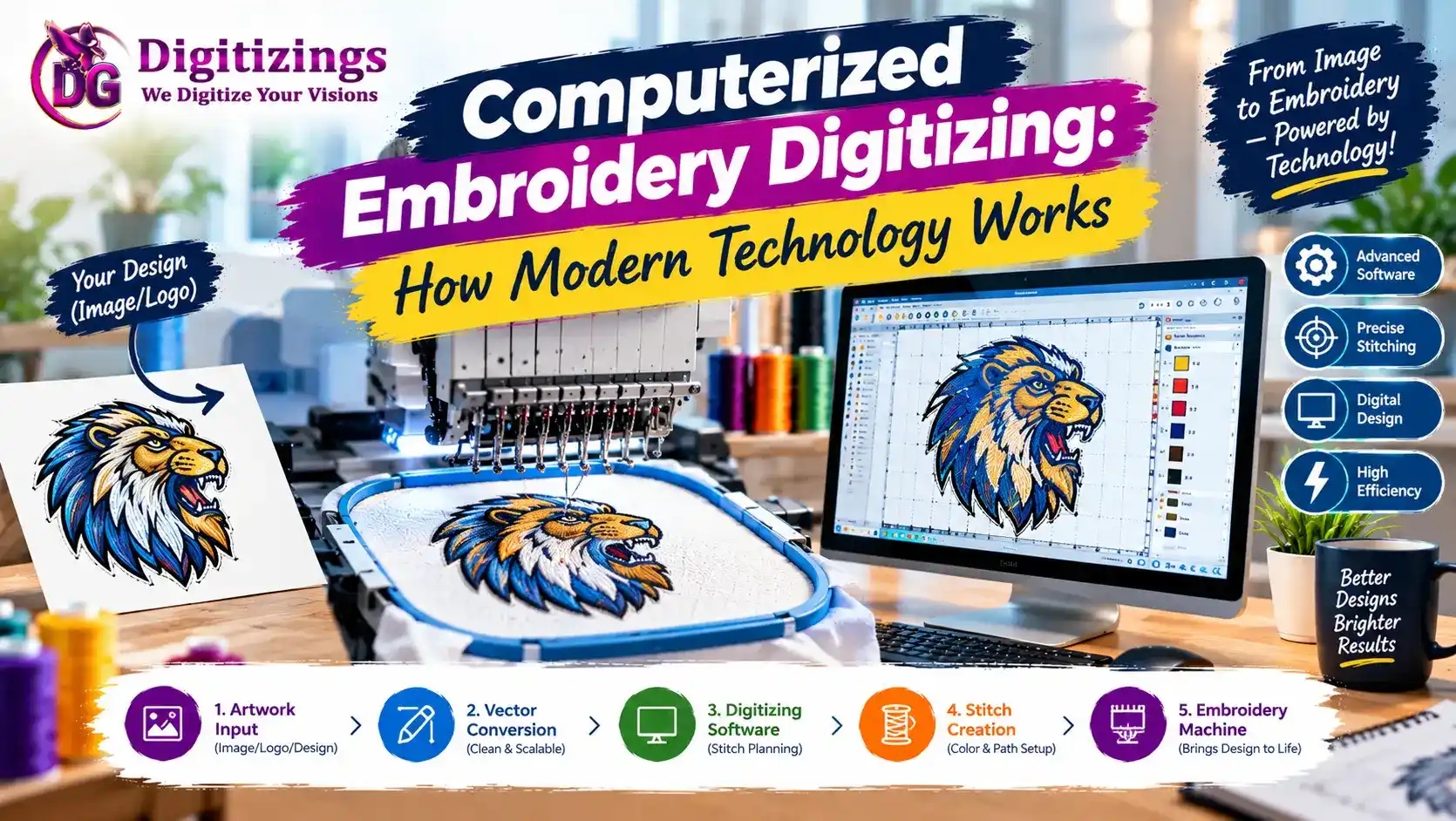
Computerized embroidery digitizing has transformed the way embroidery designs are created, edited, and prepared for production. Instead of manually planning every stitch without digital assistance, modern digitizers use specialized computer software to convert artwork into detailed embroidery files that embroidery machines can understand.
Today, a logo, illustration, name, patch, or other artwork can be transformed into a machine-readable embroidery design using sophisticated software and digital tools. These technologies make the process faster and provide digitizers with greater control over stitch types, density, sequencing, colors, and other important details.
However, computerized embroidery digitizing is much more than pressing a button to convert an image. High-quality results still depend on careful design planning, technical knowledge, software skills, and test sewing.
In this guide, we will explain what computerized embroidery digitizing is, how modern technology works, the software and processes involved, its benefits and limitations, and what the future may hold for digital embroidery production.
What Is Computerized Embroidery Digitizing?
Computerized embroidery digitizing is the process of using specialized computer software to create an embroidery file from artwork.
The software allows a digitizer to transform visual artwork into a collection of embroidery objects and stitches. Each object can be assigned specific characteristics according to its shape, size, fabric, and intended embroidery application.
A computerized embroidery file can contain information about:
Stitch types
Stitch directions
Stitch density
Underlay
Stitch length
Thread colors
Object sequencing
Entry and exit points
Trims
Color changes
Design dimensions
The finished file is then saved in a format compatible with the intended embroidery machine.
How Does Computerized Embroidery Digitizing Work?
The process begins with artwork.
The artwork might be a:
Logo
JPG image
PNG image
PDF
Vector illustration
Drawing
Screenshot
Lettering design
The digitizer imports the artwork into specialized embroidery software and analyzes the design.
The artwork is then divided into individual sections that can be converted into embroidery objects.
The general process is:
Prepare the artwork.
Import it into digitizing software.
Analyze the design.
Separate the artwork into objects.
Select appropriate stitch types.
Set stitch directions.
Adjust stitch density.
Add underlay.
Set pull compensation.
Arrange the stitching sequence.
Add thread colors.
Simulate the embroidery.
Test sew when necessary.
Make final corrections.
Export the required machine format.
Modern software makes each stage more manageable and provides the digitizer with detailed control.
The Role of Embroidery Digitizing Software
Specialized embroidery software is at the center of computerized digitizing.
Unlike ordinary graphic design programs, embroidery software is designed specifically to work with stitches and machine requirements.
It allows users to create and edit embroidery objects while viewing important information such as stitch count, design size, colors, and sewing order.
Professional software may provide tools for:
Manual digitizing
Automatic digitizing
Lettering
Stitch editing
Applique
3D puff
Monograms
Pattern fills
Specialty stitches
Design scaling
Machine format conversion
Stitch simulation
The software does not replace embroidery knowledge, but it provides the digital environment in which that knowledge can be applied.
From Artwork to Embroidery Stitches
A regular image is made from pixels or vector shapes. An embroidery machine, however, works with stitches.
Computerized digitizing bridges this gap.
For example, a solid circular shape in artwork cannot simply be sent directly to an embroidery machine. The digitizer needs to determine how that shape should be stitched.
It might be converted into a fill stitch, satin stitch, or another appropriate stitch structure.
The digitizer must also decide:
Where the stitching begins
Where it ends
Which direction the stitches travel
How dense the stitches should be
How objects overlap
Which areas need underlay
This is what makes embroidery digitizing different from ordinary image conversion.
Understanding Common Embroidery Stitch Types
Modern digitizing software provides several stitch types for creating different visual and structural effects.
Satin Stitch
Satin stitches are commonly used for lettering, borders, outlines, and narrow shapes.
They create a smooth and slightly raised appearance when properly digitized.
Fill Stitch
Fill stitches are generally used for larger areas.
The digitizer can control stitch direction, density, spacing, and other settings to achieve appropriate coverage.
Running Stitch
Running stitches are useful for outlines, fine details, and narrow design elements.
They can help create delicate visual effects without adding unnecessary density.
Specialty Stitch Effects
Modern software may also provide different patterns and decorative stitch effects for specialized embroidery applications.
How Stitch Direction Works
Stitch direction is one of the most important aspects of computerized embroidery digitizing.
If every part of a design is stitched in the same direction, the finished embroidery may look flat or visually unbalanced.
Digitizers can change stitch directions to:
Improve visual texture
Define shapes
Enhance curves
Create dimensional effects
Control how light reflects from the thread
Modern software makes it possible to set and adjust stitch angles precisely.
What Is Stitch Density?
Stitch density refers to how closely stitches are placed within an embroidery area.
Too much density can result in:
Excessive thread buildup
Stiff embroidery
Fabric distortion
Needle stress
Thread breaks
Too little density can cause:
Poor coverage
Visible fabric
Weak design definition
Computerized digitizing software allows the digitizer to adjust density based on the design and application.
Why Underlay Is Important
Underlay consists of foundational stitches placed beneath the visible embroidery.
It helps stabilize the fabric and provides support for the top stitches.
Depending on the design, different underlay approaches may be appropriate.
The digitizer may use underlay to:
Improve stability
Support satin stitches
Reduce distortion
Improve coverage
Prevent fabric from showing through
Underlay settings are one reason professional digitizing involves more than simply tracing artwork.
Understanding Pull Compensation
During embroidery, stitches can pull fabric and neighboring objects in different directions.
Pull compensation is used to account for some of these effects.
Computerized digitizing software allows the digitizer to compensate for expected movement so that the finished design maintains better proportions and registration.
The appropriate amount depends on factors such as:
Fabric type
Stitch type
Design size
Density
Direction
Object shape
How Computerized Software Controls Stitch Sequencing
Stitch sequencing determines the order in which different objects are embroidered.
Good sequencing can help:
Reduce unnecessary trims
Reduce thread changes
Improve registration
Control overlaps
Minimize movement
Improve production efficiency
For example, background elements may need to be stitched before foreground elements.
A skilled digitizer considers the entire design rather than treating each object as an isolated element.
Automatic and Manual Computerized Digitizing
Modern software supports both automatic and manual approaches.
Automatic Digitizing
Automatic digitizing allows software to analyze artwork and generate embroidery objects with minimal manual work.
It is useful for:
Simple designs
Basic shapes
Quick prototypes
Initial design structures
However, automatically generated designs may require manual corrections.
Manual Digitizing
Manual digitizing gives the user greater control over individual objects and stitch settings.
It is particularly useful for:
Complex logos
Small lettering
Detailed artwork
3D puff
Caps
Specialty fabrics
Commercial production
Many professional workflows combine both methods.
How Technology Helps With Embroidery Lettering
Computerized embroidery software has made embroidery lettering significantly easier to create and customize.
Digitizers can select embroidery fonts and modify:
Letter height
Width
Spacing
Stitch density
Stitch direction
Alignment
Baseline
Kerning
However, very small lettering still requires careful planning.
A font that looks excellent on a computer monitor may not remain readable when reduced to a small embroidered size.
How Technology Supports 3D Puff Embroidery
Computerized digitizing is also important for creating raised 3D puff embroidery.
3D puff designs require carefully planned stitch structures because foam is placed beneath the embroidery to create the raised effect.
Digitizing software allows the user to control:
Object sequencing
Stitch direction
Satin borders
Density
Coverage
Design dimensions
Manual editing is often necessary to achieve clean and consistent results.
Computerized Digitizing for Different Fabrics
Modern embroidery software allows digitizers to adapt designs to different materials.
Different fabrics can require different approaches.
For example:
Stretch fabrics may require additional stabilization.
Heavy fabrics may support denser designs.
Caps require planning around their curved structure.
Towels require consideration of the fabric's surface texture.
Lightweight fabrics may require careful density and underlay control.
A professional digitizer should consider the final fabric instead of assuming one file will work identically everywhere.
Benefits of Computerized Embroidery Digitizing
Modern technology provides several major advantages.
1. Faster Workflow
Computerized tools can significantly reduce the time required to create and edit embroidery designs.
2. Greater Precision
Software allows digitizers to work with detailed measurements and make precise stitch adjustments.
3. Easy Editing
Design elements can be moved, resized, deleted, duplicated, or modified without recreating the entire design.
4. Design Simulation
Many programs can simulate the stitching process before the design is sent to an embroidery machine.
This allows potential problems to be identified earlier.
5. Multiple Machine Formats
Computerized workflows make it easier to save designs in formats compatible with different embroidery machines.
Common formats include:
DST
PES
JEF
EXP
VP3
HUS
XXX
The required format depends on the embroidery machine.
6. Better Design Organization
Digital files can be saved, edited, backed up, and reused when appropriate.
This can be particularly useful for embroidery businesses managing many customer designs.
Limitations of Computerized Embroidery Digitizing
Although technology has made digitizing easier, it does not eliminate every challenge.
1. Software Cannot Guarantee Perfect Embroidery
A computer preview cannot perfectly predict how every design will behave on every fabric and machine.
2. Professional Knowledge Is Still Required
Understanding stitches, fabric behavior, thread tension, density, and machine operation remains important.
3. Complex Designs Require More Work
Detailed designs may require significant manual editing even when advanced software is available.
4. Learning Professional Software Takes Time
Advanced digitizing programs contain many technical tools and settings.
Beginners may need practice and training before they can consistently create production-ready designs.
Computerized Digitizing vs Traditional Digitizing
Traditional embroidery methods relied heavily on manual processes and physical planning.
Computerized digitizing provides advantages such as:
Digital editing
Faster revisions
Automated calculations
Stitch simulation
Precise measurements
Easy file storage
Multiple format exports
Faster design duplication
However, the fundamental goal remains the same: create an embroidery design that produces a good result when stitched.
Technology has changed the workflow, but understanding embroidery remains essential.
The Importance of Test Sewing
One of the most important parts of a computerized embroidery workflow is test sewing.
A digital preview cannot show every physical issue that may occur during production.
A test sew can reveal:
Puckering
Thread breaks
Poor registration
Excessive density
Incorrect sequencing
Weak coverage
Small lettering problems
Design distortion
After testing, the digitizer can return to the software and make appropriate adjustments.
This creates a continuous cycle of digital design, physical testing, and improvement.
How AI Is Entering Computerized Embroidery Digitizing
Artificial intelligence and automation are becoming increasingly relevant to digital embroidery workflows.
AI-assisted tools can potentially help with:
Artwork recognition
Object identification
Color separation
Automatic stitch generation
Design suggestions
Repetitive editing tasks
Initial digitizing
However, automated output still needs quality control.
Professional digitizers can use these technologies as productivity tools while applying their own expertise to the final design.
What Does the Future of Computerized Embroidery Look Like?
The future of embroidery digitizing is likely to become increasingly digital and automated.
Software may become better at understanding artwork, predicting stitch behavior, recommending settings, and optimizing designs for specific applications.
Cloud-based workflows, AI-assisted digitizing, improved simulation, and smarter machine integration could further streamline the production process.
However, human expertise is likely to remain important for complex designs and quality control.
The future will probably involve closer cooperation between skilled digitizers, advanced software, AI, and intelligent embroidery machines.
Who Can Benefit From Computerized Embroidery Digitizing?
Computerized digitizing can benefit many types of users, including:
Professional digitizers
Embroidery businesses
Apparel companies
Fashion brands
Promotional product businesses
Embroidery machine owners
Small businesses
Custom clothing businesses
Patch manufacturers
Hobby embroiderers
The level of software and expertise required depends on the complexity and volume of embroidery work.
Tips for Getting Better Results With Computerized Digitizing
To achieve better results:
Start with clean artwork.
Determine the final design size before digitizing.
Identify the intended fabric.
Choose appropriate stitch types.
Avoid unnecessary stitch density.
Plan stitch sequencing carefully.
Use suitable underlay.
Consider pull compensation.
Review the design using stitch simulation.
Test sew important designs.
Make adjustments based on the physical result.
Save the final production-ready file properly.
Good software can improve your workflow, but good digitizing decisions determine the quality of the final embroidery.
About Digitizings
Digitizings provides professional embroidery digitizing and vector art services for businesses, apparel brands, embroidery shops, and individuals. Services include custom embroidery digitizing, logo digitizing, 3D puff, cap and hat digitizing, applique, patches, jacket-back designs, monograms, lettering, and other embroidery applications.
By combining modern computerized workflows with professional embroidery knowledge, digitizing services can help transform artwork into embroidery-ready files suitable for real-world production.
Conclusion
Computerized embroidery digitizing has completely changed the way modern embroidery designs are created. Specialized software allows artwork to be converted into detailed stitch files while giving digitizers precise control over stitch types, density, direction, sequencing, underlay, colors, and design dimensions.
Automation and AI are making the process even faster, but technology does not eliminate the need for skilled digitizing. Complex designs, unusual fabrics, small lettering, 3D puff, caps, and commercial embroidery still require careful technical decisions.
The most effective computerized embroidery workflow combines powerful software with human expertise. A skilled digitizer can use technology to work faster while maintaining control over the details that determine how a design actually performs on an embroidery machine.
As software, AI, and embroidery machines continue to evolve, computerized digitizing will become even more sophisticated. Yet the fundamental objective will remain the same: creating clean, durable, attractive embroidery that works successfully in the real world.
FAQs
1. What is computerized embroidery digitizing?
Computerized embroidery digitizing is the process of using specialized software to convert artwork into a stitch-based embroidery file that an embroidery machine can read and sew.
2. What software is used for computerized embroidery digitizing?
Specialized embroidery digitizing programs are used to create and edit stitch files. These programs can provide tools for manual digitizing, automatic conversion, lettering, stitch editing, simulation, and machine-format export.
3. Can computerized embroidery digitizing be done automatically?
Yes. Many modern embroidery programs offer automatic digitizing features. However, automatically generated designs may require manual editing and quality control before they are ready for production.
4. Why is test sewing important in computerized embroidery digitizing?
Test sewing shows how a digital design actually behaves on fabric. It can reveal issues such as puckering, thread breaks, poor registration, excessive density, and lettering problems that may not be obvious on a computer screen.
5. Will AI replace computerized embroidery digitizers?
AI may automate more parts of the digitizing process, but professional expertise will remain valuable for complex designs, fabric-specific adjustments, quality control, troubleshooting, and production optimization. The future is more likely to involve AI-assisted digitizing than complete replacement of human professionals.