
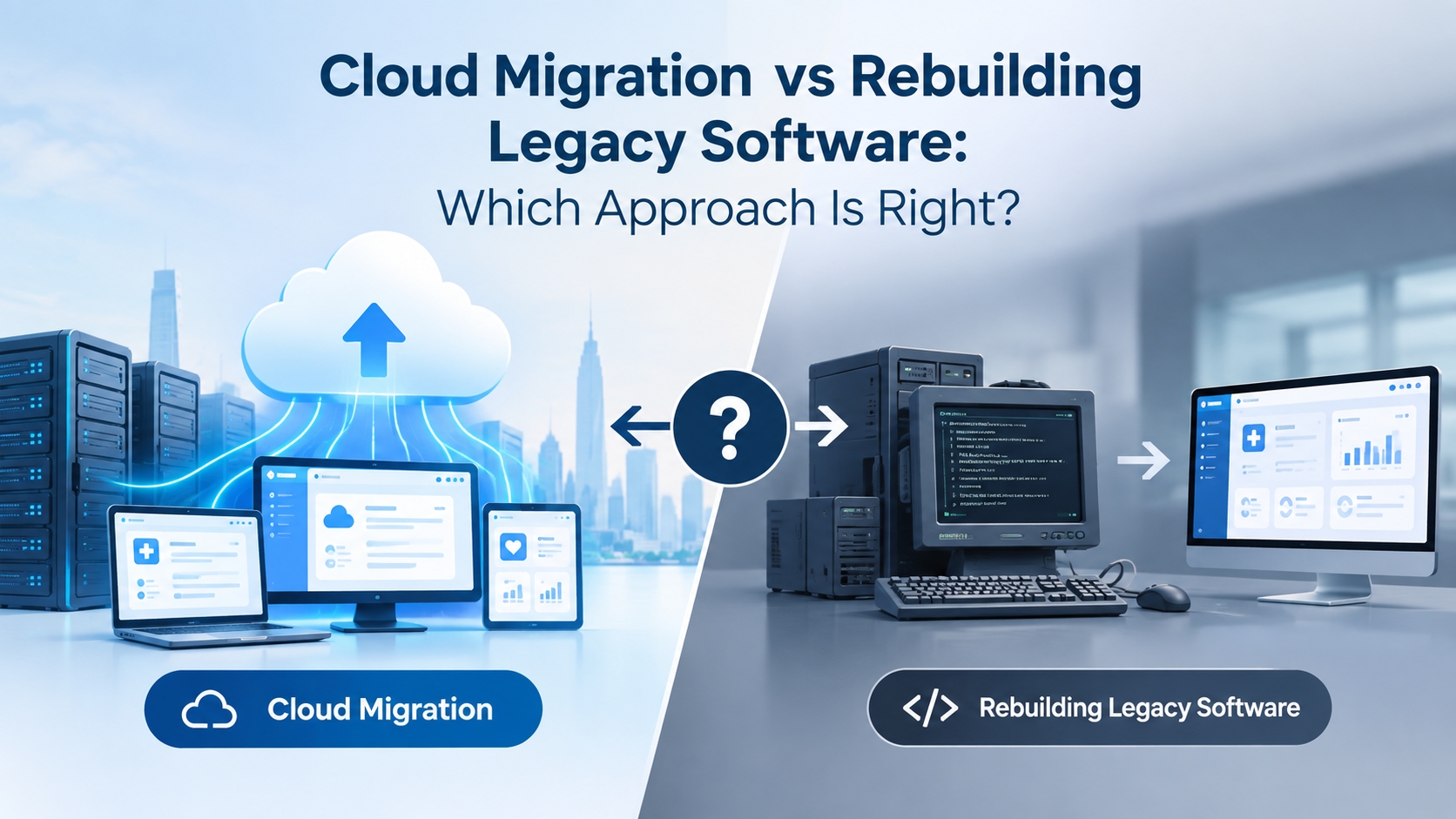
Legacy software creates a difficult technology decision for many organizations: should the existing system be moved to the cloud, or should the software be rebuilt from the ground up?
Cloud migration can extend the life of an existing application while improving infrastructure flexibility, scalability, and operational efficiency. Rebuilding, on the other hand, provides an opportunity to replace outdated architecture, redesign workflows, and address technical debt that a simple migration cannot solve.
Neither approach is automatically the right choice.
The better decision depends on how the existing software works, what problems it creates, how much of the business still depends on it, and what the organization needs the system to do in the next three to five years.
For some organizations, moving the existing application to a cloud environment is enough. For others, rebuilding is the only practical way to overcome architectural limitations. In many cases, the most sensible path is somewhere between the two: migrate first, modernize specific components, and gradually replace legacy functionality.
Cloud Migration vs Rebuilding: What Is the Difference?
Cloud migration means moving an existing application, database, infrastructure, or workload from an on-premises environment to a cloud platform with varying degrees of modification.
Rebuilding means developing a new application or substantially redesigning the existing system using a modern architecture, technology stack, and development approach.
The difference is essentially this:
Migration primarily changes where and how the existing software runs. Rebuilding changes how the software itself works.
Factor | Cloud Migration | Rebuilding Legacy Software |
|---|---|---|
Primary objective | Move existing workloads to cloud infrastructure | Replace or redesign outdated software |
Existing code | Mostly retained | Substantially replaced |
Architecture changes | Limited to significant, depending on strategy | Usually extensive |
Initial disruption | Generally lower | Generally higher |
Technical debt | May remain | Can be addressed systematically |
Time to deployment | Often shorter | Usually longer |
Upfront development effort | Lower to moderate | Moderate to high |
Business workflow changes | Usually limited | Can be redesigned |
Long-term flexibility | Depends on the original architecture | Potentially much higher |
Suitable for | Stable applications with manageable limitations | Systems constrained by outdated architecture |
The important point is that cloud migration does not automatically modernize legacy software.
Putting an old application on a cloud server can solve infrastructure problems while leaving the underlying application architecture largely unchanged.
When Cloud Migration Makes More Sense
Cloud migration can be appropriate when the existing application still performs its core business functions effectively but the infrastructure supporting it has become a limitation.
For example, an organization may have a stable enterprise application that:
Supports important business workflows
Has relatively reliable code
Has an application architecture that can operate in a cloud environment
Has integrations that can be retained
Does not require a complete redesign
Is expensive or difficult to maintain on physical infrastructure
Needs better scalability or infrastructure flexibility
In this situation, rebuilding everything could introduce unnecessary risk.
A migration can provide a path to modern infrastructure without immediately replacing functionality that the business already relies on.
Common signs that migration may be sufficient
1. The application still meets business requirements
If users can complete their required workflows and the primary problem is infrastructure rather than functionality, rebuilding may provide limited additional business value.
2. The codebase is maintainable enough
Legacy does not necessarily mean unusable.
An application may be old but still have a reasonably understood codebase, documented dependencies, stable integrations, and predictable behavior.
3. The main problem is infrastructure
If the organization is struggling with hardware maintenance, capacity planning, backup infrastructure, disaster recovery, or scaling physical servers, cloud migration may directly address those problems.
4. The organization needs a faster modernization path
A full rebuild can take months or years for a complex enterprise application. Migration can sometimes create a shorter path toward infrastructure modernization while a longer-term application strategy is developed.
5. The business cannot tolerate a major system replacement
Some legacy applications sit at the center of daily operations.
Replacing them all at once can create significant operational and migration risk. Moving the existing system first can provide a more controlled transition.
When Rebuilding Legacy Software Makes More Sense
Cloud migration becomes less attractive when the software itself is the problem. If an aging application is already creating scalability, maintenance, integration, or workflow constraints, those are signs that a deeper legacy software modernization strategy may be required.
If an application has an outdated architecture, tightly coupled components, poor integration capabilities, limited scalability, and significant technical debt, moving it to the cloud may simply relocate those problems.
A rebuild becomes more relevant when the organization needs capabilities that the existing architecture cannot realistically support.
Common signs that rebuilding may be necessary
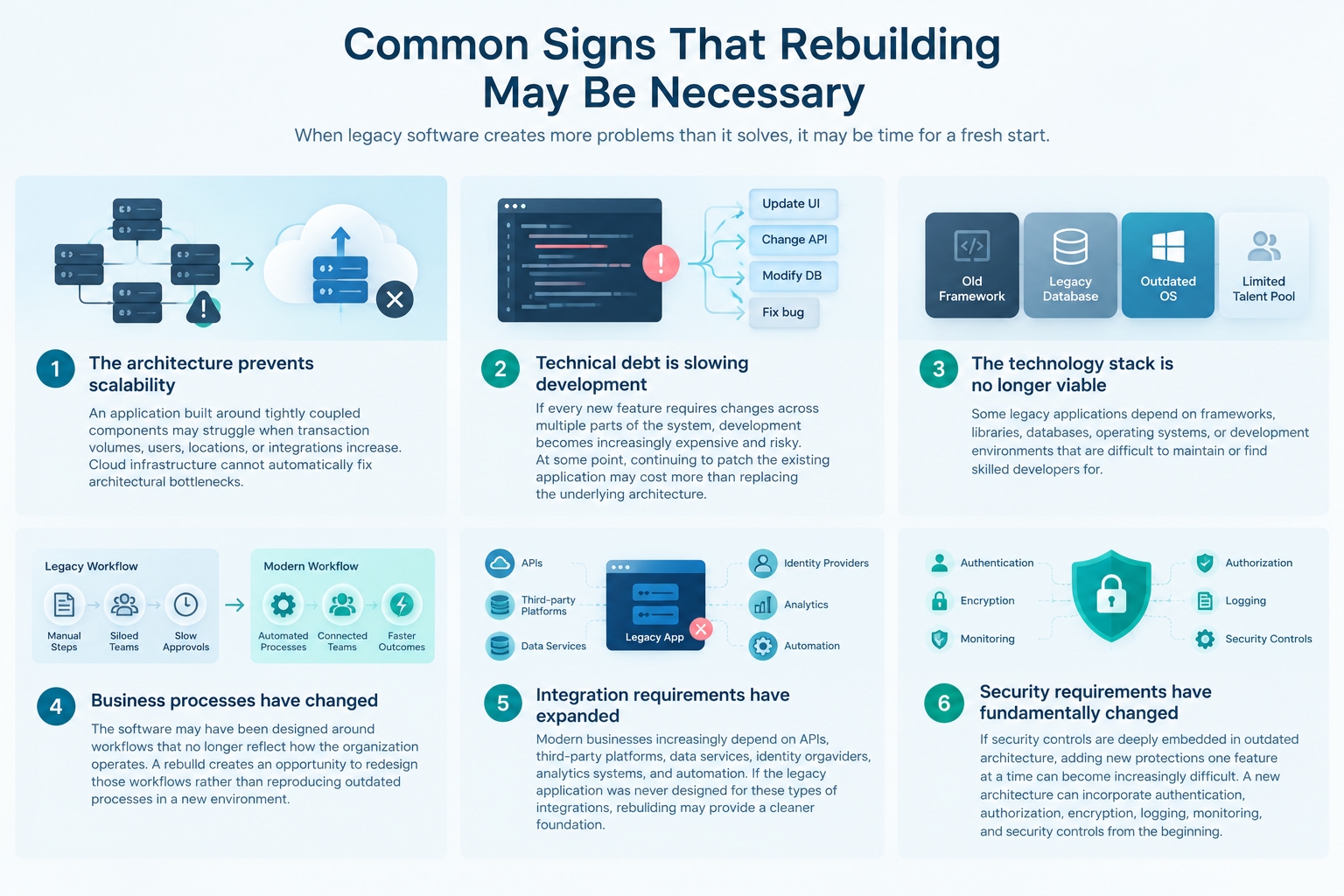
1. The architecture prevents scalability
An application built around tightly coupled components may struggle when transaction volumes, users, locations, or integrations increase.
Cloud infrastructure cannot automatically fix architectural bottlenecks.
2. Technical debt is slowing development
If every new feature requires changes across multiple parts of the system, development becomes increasingly expensive and risky.
At some point, continuing to patch the existing application may cost more than replacing the underlying architecture.
3. The technology stack is no longer viable
Some legacy applications depend on frameworks, libraries, databases, operating systems, or development environments that are difficult to maintain or find skilled developers for.
4. Business processes have changed
The software may have been designed around workflows that no longer reflect how the organization operates.
A rebuild creates an opportunity to redesign those workflows rather than reproducing outdated processes in a new environment.
5. Integration requirements have expanded
Modern businesses increasingly depend on APIs, third-party platforms, data services, identity providers, analytics systems, and automation.
If the legacy application was never designed for these types of integrations, rebuilding may provide a cleaner foundation.
6. Security requirements have fundamentally changed
If security controls are deeply embedded in outdated architecture, adding new protections one feature at a time can become increasingly difficult.
A new architecture can incorporate authentication, authorization, encryption, logging, monitoring, and security controls from the beginning.
Cloud Migration Does Not Have to Mean “Lift and Shift”
One of the biggest mistakes organizations make is treating cloud migration as a binary decision.
The application does not necessarily need to be either:
“Moved exactly as it is”
or
“Completely rebuilt.”
Cloud modernization can happen at several levels.
A commonly used modernization spectrum includes:
Retain – Keep the application where it is because there is no immediate business reason to change it.
Retire – Remove applications that are no longer needed.
Rehost – Move the application to cloud infrastructure with minimal modification.
Replatform – Make limited changes to take advantage of cloud capabilities.
Refactor – Modify the application's architecture or code to improve cloud compatibility and maintainability.
Rearchitect – Redesign major parts of the system around a different architecture.
Rebuild – Develop a replacement application.
Replace – Move to an existing commercial or third-party software product where appropriate.
This spectrum matters because different parts of the same legacy system may require different strategies.
The Hybrid Approach: Migrate First, Rebuild Gradually
For complex enterprise software, a hybrid approach can reduce the risks associated with a complete rebuild.
Instead of replacing the entire application simultaneously, the organization can:
Assess → Migrate → Modernize → Replace
For example, an organization could move the existing application and database to a cloud environment while separately rebuilding high-value components such as:
Authentication
Customer portals
Reporting
Search
Payment processing
Mobile applications
API services
Notification systems
Analytics
Workflow automation
The new components can interact with the legacy application through APIs or integration layers.
Over time, additional legacy functionality can be replaced.
This approach is sometimes described as incremental modernization or a strangler-style modernization strategy.
The benefit is that the organization does not have to wait for the entire replacement system to be completed before delivering improvements.
Cost: Migration vs Rebuilding
Cost is often the first question executives ask, but comparing only the initial project price can be misleading.
Cloud migration may have a lower initial development cost because much of the existing application is retained, while a full rebuild can introduce substantially different development, integration, testing, and infrastructure costs; these factors also matter when estimating the cost of building healthcare software in the UAE or Saudi Arabia
However, the organization may continue paying for:
Legacy code maintenance
Specialized developers
Workarounds
Outdated integrations
Technical debt
Performance issues
Manual operational processes
A rebuild generally requires more upfront investment but can reduce some of these long-term constraints.
Cost Consideration | Migration | Rebuild |
|---|---|---|
Initial development | Usually lower | Usually higher |
Infrastructure modernization | Yes | Yes |
Legacy maintenance | Often continues | Can decrease |
Technical debt | May remain | Can be reduced |
Testing requirements | Moderate to high | High |
Data migration | Usually required | Usually required |
User retraining | Often limited | Potentially significant |
Long-term development flexibility | Depends on architecture | Potentially higher |
Business disruption | Usually lower | Potentially higher |
The right calculation is therefore not simply:
“Which project costs less?”
It is:
“What will the organization spend over the useful life of the system under each option?”
That includes development, infrastructure, support, security, integrations, downtime, staff training, and future feature development.
How to Evaluate the Existing Software Before Deciding
A modernization decision should start with an assessment rather than a technology preference, which is why organizations should evaluate their existing architecture, integrations, workflows, and technical constraints before choosing a path.
A useful assessment should examine at least six areas.
1. Application architecture
Understand:
Monolithic vs modular architecture
Application dependencies
Database architecture
External integrations
Authentication mechanisms
Infrastructure dependencies
Batch processes
Background jobs
Third-party libraries
The objective is to understand how difficult the application will be to move or modify.
2. Codebase health
Assess:
Code quality
Test coverage
Documentation
Dependency age
Maintainability
Known defects
Development complexity
Availability of technical expertise
An application that looks old from the outside may still have a healthy codebase.
Conversely, a relatively modern-looking application can have substantial technical debt.
3. Business criticality
Not every application deserves the same modernization strategy.
Determine:
Which business processes depend on it?
What happens if the system becomes unavailable?
Which features are mission-critical?
Which functions are rarely used?
Which workflows are expected to change?
This helps prioritize modernization effort around business impact rather than technology alone.
4. Integration requirements
Review every major integration.
For example:
ERP
CRM
Payment gateways
Identity providers
Third-party APIs
Data warehouses
Mobile applications
Partner systems
Healthcare or industry-specific platforms
An application may appear straightforward until its integration dependencies are mapped.
5. Data architecture
Data is often one of the hardest parts of modernization.
Assess:
Database size
Data quality
Data relationships
Historical records
Data retention requirements
Reporting dependencies
Migration complexity
Data synchronization requirements
A rebuild that ignores data migration can quickly become more complicated than expected.
6. Security and compliance
Evaluate the requirements that apply to the organization's industry and operating markets.
Depending on the use case, this could include:
Data residency
Encryption
Access control
Audit logging
Retention
Backup and recovery
Identity management
Industry-specific regulations
Contractual security requirements
Cloud migration does not transfer all security responsibility to the cloud provider.
The organization still needs to understand how its application, data, identities, integrations, and configurations will be secured.
A Practical Decision Framework
Rather than asking whether migration or rebuilding is better in general, organizations should evaluate the existing system alongside the broader build-vs-buy decision, business requirements, available resources, and long-term technology strategy.
Question | If the answer is mostly “Yes” | Likely implication |
|---|---|---|
Does the application still meet business requirements? | Yes | Migration may be viable |
Is the existing code reasonably maintainable? | Yes | Migration or modernization may work |
Is infrastructure the primary problem? | Yes | Consider cloud migration |
Is the architecture preventing new functionality? | Yes | Consider rearchitecture or rebuilding |
Is technical debt consuming development resources? | Yes | Consider deeper modernization |
Are major business workflows changing? | Yes | Rebuilding may provide more flexibility |
Are integrations difficult because of the legacy architecture? | Yes | Consider API and architecture redesign |
Can the application be safely decomposed? | Yes | Incremental modernization may work |
Is the application business-critical with low tolerance for disruption? | Yes | Consider phased modernization |
Is the existing technology becoming difficult to support? | Yes | Evaluate rebuild or replacement |
This framework should not be treated as an automatic decision formula.
The purpose is to identify where the existing system creates constraints and what level of modernization is justified.
What About Rebuilding in the Cloud?
A rebuild does not mean abandoning the cloud.
In fact, rebuilding a legacy application and deploying the new system using cloud-native or cloud-optimized architecture can be part of the same modernization program.
A new system may be designed around:
APIs
Managed databases
Containerized workloads
Event-driven services
Automated CI/CD pipelines
Centralized monitoring
Cloud identity services
Scalable storage
Infrastructure as code
However, organizations should avoid adopting architectural patterns simply because they are associated with modern cloud development.
For example, converting a straightforward application into dozens of microservices can introduce unnecessary operational complexity.
The architecture should follow the application's actual requirements, not the other way around.
The Biggest Risk: Rebuilding the Legacy System Exactly as It Was
A rebuild can fail even when the technology is modern.
One common reason is that organizations reproduce the existing application's workflows, data structures, and assumptions without questioning whether they are still necessary.
That creates a modern implementation of an outdated business model.
Before rebuilding, ask:
Which features are actually used?
Which workflows create unnecessary manual work?
Which reports are still relevant?
Which integrations are mandatory?
Which data needs to be retained?
Which processes can be automated?
Which user complaints repeatedly appear?
Which legacy constraints exist only because of the old architecture?
The objective should not be “build the same software using newer technology.”
It should be:
“Build the system the business actually needs today, while preserving the functionality and data that still matter.”
A Phased Modernization Strategy
For organizations with complex legacy platforms, modernization can be divided into manageable phases rather than treated as a single technology project, similar to the phased approach described in a digital transformation roadmap for GCC hospitals.
Phase 1: Discovery
Document the existing application, infrastructure, integrations, databases, users, workflows, and dependencies.
Phase 2: Technical Assessment
Evaluate architecture, code quality, security, scalability, performance, technical debt, and operational risks.
Phase 3: Business Prioritization
Separate critical functionality from low-value or obsolete features.
Phase 4: Strategy Selection
Determine which components should be:
Retained
Migrated
Replatformed
Refactored
Rearchitected
Rebuilt
Retired
Replaced
Phase 5: Pilot
Modernize a limited, lower-risk component or workload first.
This provides an opportunity to validate the architecture, migration process, security controls, deployment model, and operational approach.
Phase 6: Incremental Rollout
Move or replace additional components in controlled stages.
Phase 7: Legacy Decommissioning
Once replacement functionality is stable and validated, retire the corresponding legacy components.
This reduces the risk of a large-scale “big bang” migration.
Questions to Ask Your Software Development Partner
Before approving a cloud migration or rebuild project, ask the development team:
What parts of the existing application can be migrated without modification?
Which components are creating the biggest technical constraints?
What technical debt should be addressed before migration?
What would happen if we rebuilt only the highest-value modules?
How will existing data be migrated and validated?
How will legacy and modern systems communicate during the transition?
What is the rollback strategy?
How will security and access controls change?
Which existing integrations need to be redesigned?
How will the new architecture support future integrations?
What functionality should be retired instead of rebuilt?
What measurable business outcome will the modernization deliver?
These questions shift the discussion from “Which technology should we use?” to “What problem are we solving?”
How RowthTech Approaches Legacy Software Modernization
Legacy modernization is rarely just a cloud-infrastructure project.
The application, data, integrations, security requirements, business workflows, and future product roadmap all need to be considered together.
At https://www.rowthtech.com/, we help organizations assess existing software and determine whether the practical path is cloud migration, modernization, rearchitecture, incremental rebuilding, or a combination of approaches.
The goal is not to rebuild software simply because it is old. It is to identify which parts of the existing system still create business value, which parts are becoming constraints, and what architecture can support the organization's next stage of growth.
For organizations with complex legacy applications, this can mean migrating the existing platform first and gradually replacing constrained components rather than taking unnecessary risks with a complete rewrite.
If you're evaluating whether to migrate, modernize, or rebuild a legacy application, get in touch with our team to assess the existing system and define a practical modernization roadmap.
Final Takeaway
The decision between cloud migration and rebuilding legacy software is not simply a choice between an old system and a new one.
It is a question of where the real problem exists.
If the application is fundamentally sound and infrastructure is the primary limitation, cloud migration may provide a practical modernization path.
If the architecture, codebase, integrations, or business workflows are preventing the software from evolving, deeper modernization or rebuilding may be necessary.
And when replacing everything at once creates too much risk, an incremental approach can combine both strategies.
The most effective modernization strategy is therefore not necessarily the one that uses the newest technology. It is the one that addresses the actual limitations of the existing system while controlling cost, migration risk, operational disruption, and future development constraints.



