Managing client relationships is essential for small businesses, service providers and growing teams. However, when contact details, conversations, project updates and follow-up reminders are spread across emails, spreadsheets and different applications, important information can easily be overlooked.
Client management software helps businesses bring this information together, organise daily activities and maintain a clearer view of every client relationship. The right solution can make it easier to track enquiries, manage ongoing work, coordinate teams and deliver consistent service without relying on disconnected tools.
Choosing the right platform requires more than comparing feature lists. Businesses should consider their workflows, budget, security requirements and future needs to find a solution that supports how they actually operate.
What Is Client Management Software?
Client management software is a digital tool that helps businesses store client information, track interactions, manage follow-ups and organise activities associated with customer relationships. Depending on the platform, it may also support quotations, invoicing, task management, reporting and workflow automation.
For example, a small digital marketing agency could use the software to record new enquiries, store client contact details, assign campaign tasks and schedule follow-ups. Team members can refer to a shared record instead of searching through individual inboxes or asking colleagues for updates.
These tools are useful for consultants, tradespeople, agencies, professional service providers and other businesses that manage ongoing client relationships. They can be particularly valuable when a business begins handling more clients than can comfortably be managed through manual processes.
The main purpose is to create a reliable, accessible view of client information and related work, helping teams stay organised and communicate more consistently.
Essential Features of Client Management Software
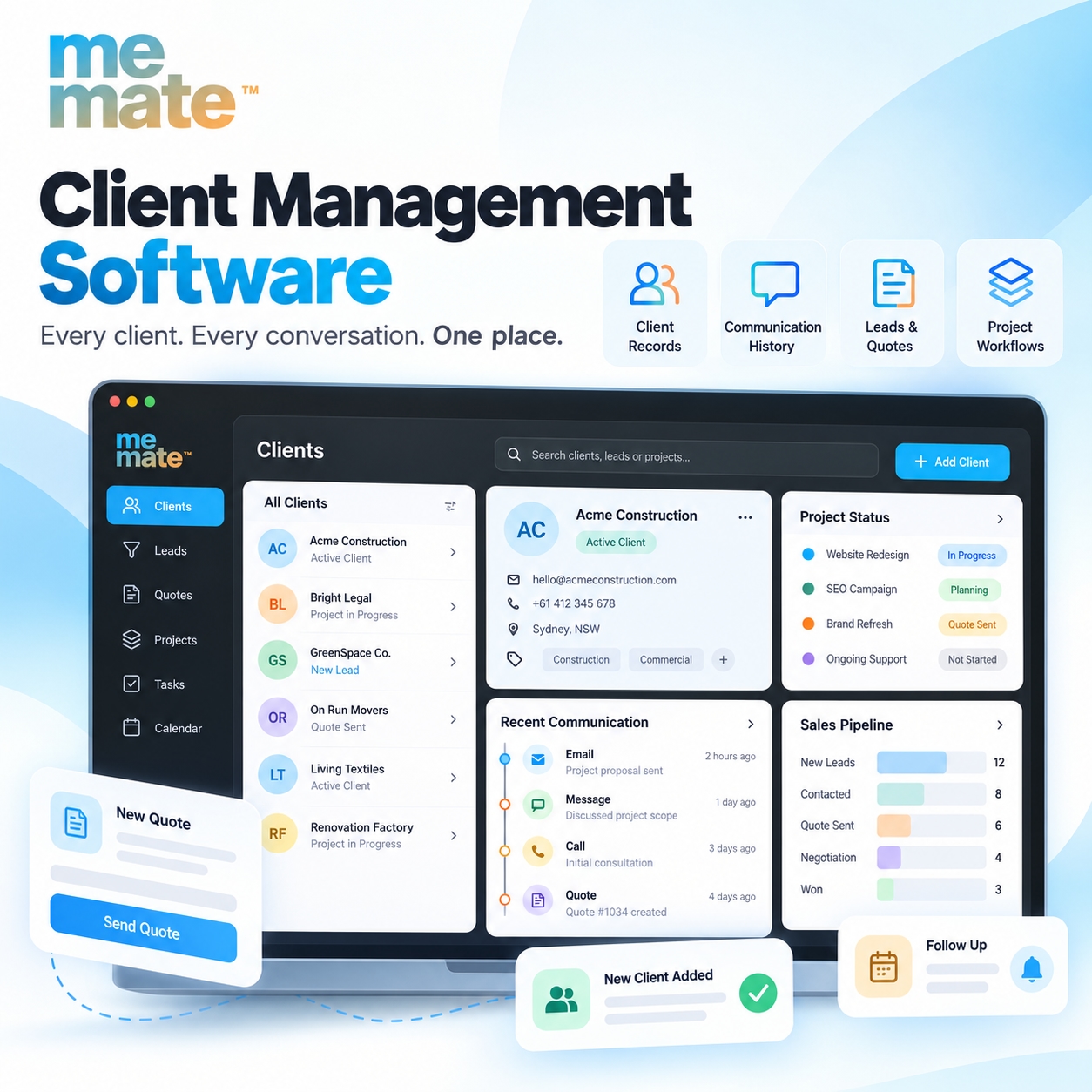
The most useful features depend on how a business attracts clients, delivers services and maintains relationships. Before comparing platforms, consider these essential capabilities.
1. Client Database and Contact Management
A central client database stores information such as names, contact details, company information, service history and relevant notes. A well-organised client relationship management database makes it easier to retrieve records, identify existing clients and avoid duplicate entries.
For example, a plumbing business could keep property addresses, previous service records and client preferences together, helping staff prepare for repeat jobs more efficiently.
2. Interaction History and Communication Tracking
Recording emails, calls, meetings and important client discussions helps teams maintain continuity. When another employee takes over an account, they can review previous interactions rather than asking the client to repeat information.
Look for a platform that makes communication records easy to access and clearly links them to the appropriate client or project.
3. Tasks, Reminders and Follow-Ups
Follow-up reminders help businesses respond to enquiries, check on outstanding quotations and maintain contact with existing clients. Task assignment also clarifies who is responsible for each action and when it should be completed.
4. Workflow Automation and Integrations
Automation can handle routine steps, such as creating reminders, sending status notifications or moving approved quotations into the next stage of a workflow. Integrations connect the platform with other business tools, reducing the need to enter the same information repeatedly.
Choose automation that addresses genuine bottlenecks rather than adding unnecessary complexity.
5. Reporting, Permissions and Security
Reporting can help businesses understand enquiry volumes, sales activity, outstanding work and client-related revenue. Access controls allow administrators to restrict sensitive information to authorised team members.
Check for appropriate security safeguards, backup and recovery arrangements, data export options and clear privacy policies. Businesses should also confirm that their handling of personal information meets applicable legal requirements.
Key Benefits of Client Management Software for Small Businesses
For smaller teams, the main advantage is having a more consistent way to manage relationships and daily responsibilities.
Better organisation: Client information and work history are easier to locate, reducing dependence on scattered spreadsheets and individual inboxes.
More consistent communication: Reminders and interaction records help teams respond promptly and keep clients informed.
Less manual administration: Reusable records, automated notifications and connected workflows can reduce repetitive data entry.
Improved collaboration: Shared records help employees understand project status, responsibilities and outstanding actions.
Greater visibility: Reports can help owners identify overdue follow-ups, review sales activity and plan workloads.
Consider a small web design agency managing several website projects. A shared system can connect each client with their quotation, project tasks, feedback and invoices. The team can then check what has been agreed, what remains outstanding and who needs to take the next action.
These benefits depend on selecting suitable software and maintaining accurate records. A platform alone cannot guarantee better productivity or stronger client relationships.
Client Management Software vs CRM Software
Client management software and customer relationship management software often overlap. Both can store client details, track interactions and support follow-ups. The distinction usually lies in the broader operational needs each platform addresses.
Area | Client management software | CRM software |
|---|---|---|
Core purpose | Organising client relationships and related work | Managing customer relationships, often across the sales lifecycle |
Typical features | Client records, communication history, tasks and service information | Contact management, lead tracking, sales pipelines and forecasting |
Additional capabilities | May include projects, scheduling, quotations and invoicing | May include marketing automation, customer service and sales analytics |
Best fit | Service businesses needing coordinated client and operational workflows | Businesses prioritising lead generation, sales management and customer engagement |
These are general distinctions, not strict product categories. Some CRM platforms provide extensive project management capabilities, while some client management tools include sophisticated sales pipelines.
When evaluating customer relationship management software, focus on the workflows you need rather than the product label. A consultancy that mainly manages leads may prioritise sales tracking, while a trades business may need client records connected directly to jobs, schedules and invoices.
How to Choose the Right Client Management Solution
A practical selection process helps businesses avoid paying for unnecessary features or choosing software that does not fit their operations.
1. Identify Your Business Requirements
List your current problems before exploring products. Are enquiries being missed? Is client information duplicated? Are quotations difficult to track? Do employees struggle to see project updates?
Rank these issues by importance and use them to define your essential requirements.
2. Assess Usability and Essential Features
Evaluate how easily employees can add clients, find information, assign tasks and complete everyday activities. Request a demonstration or use a trial where available. Test realistic workflows rather than relying solely on feature lists.
3. Check Integrations and Scalability
Confirm whether the software works with the accounting, communication, scheduling and other tools your business already uses. Consider whether it can support additional employees, clients, projects or locations as the business grows.
Also check whether you can export your data if you decide to change platforms later.
4. Evaluate Pricing, Security and Support
Compare the total cost, including subscriptions, additional users, integrations, implementation and training. Review access permissions, data protection measures, backup arrangements and support availability.
The cheapest option may not be the most economical if it requires extensive manual work or expensive add-ons.
5. Plan Implementation and Team Adoption
Start by migrating essential client records, assigning responsibilities and establishing consistent data-entry practices. Train employees on the processes they will use daily, then review adoption and identify areas for improvement.
A simple system that the team uses consistently is often more valuable than a complicated platform with features nobody needs.
For service-based businesses looking to connect client information with operational activities, meMate is one option worth evaluating. Its published features include client management, sales pipelines, project management, quoting, invoicing and reporting. Assess these capabilities against your own requirements before deciding whether it is a suitable fit.
Frequently Asked Questions
1. What is client management software used for?
It helps businesses organise client information, record interactions, manage follow-ups and coordinate related activities. Depending on the platform, it may also support sales, project delivery, scheduling and invoicing.
2. Is client management software the same as CRM software?
Not always, although the terms are frequently used interchangeably. CRM software commonly focuses on customer relationships and sales processes, while some client management platforms also connect client records with service delivery and operational workflows.
3. What features should small businesses look for?
Start with a central client database, communication history, reminders, task management, reporting, appropriate security controls and useful integrations. Select additional capabilities according to your business model and daily requirements.
4. How does a client management database help a business?
It keeps relevant client information in an organised location, making records easier to retrieve and update. It can also help authorised team members understand previous interactions, service history and outstanding work.
5. Can client management software automate follow-ups?
Yes, many platforms support scheduled reminders, notifications and automated workflow steps. Available options vary by product, so verify whether the software supports your preferred communication channels and automation rules.
6. What should businesses consider before choosing a solution?
Consider usability, essential features, integration requirements, scalability, total cost, data security, customer support and the effort required to migrate existing records. Testing a typical workflow before committing can help reveal potential limitations.
Conclusion
The right client management software can help businesses organise information, improve communication and coordinate work more effectively. The best choice depends on the size of your team, the complexity of your client relationships and the processes you need to manage.
Before committing, compare essential features, test everyday workflows, review security and pricing, and involve the people who will use the system. If you need client management alongside project coordination, quotations and invoicing, explore platforms such as meMate alongside other suitable options.
A solution that fits your actual workflows and is consistently used by your team can provide a stronger foundation for managing client relationships as your business grows.