Executive Summary
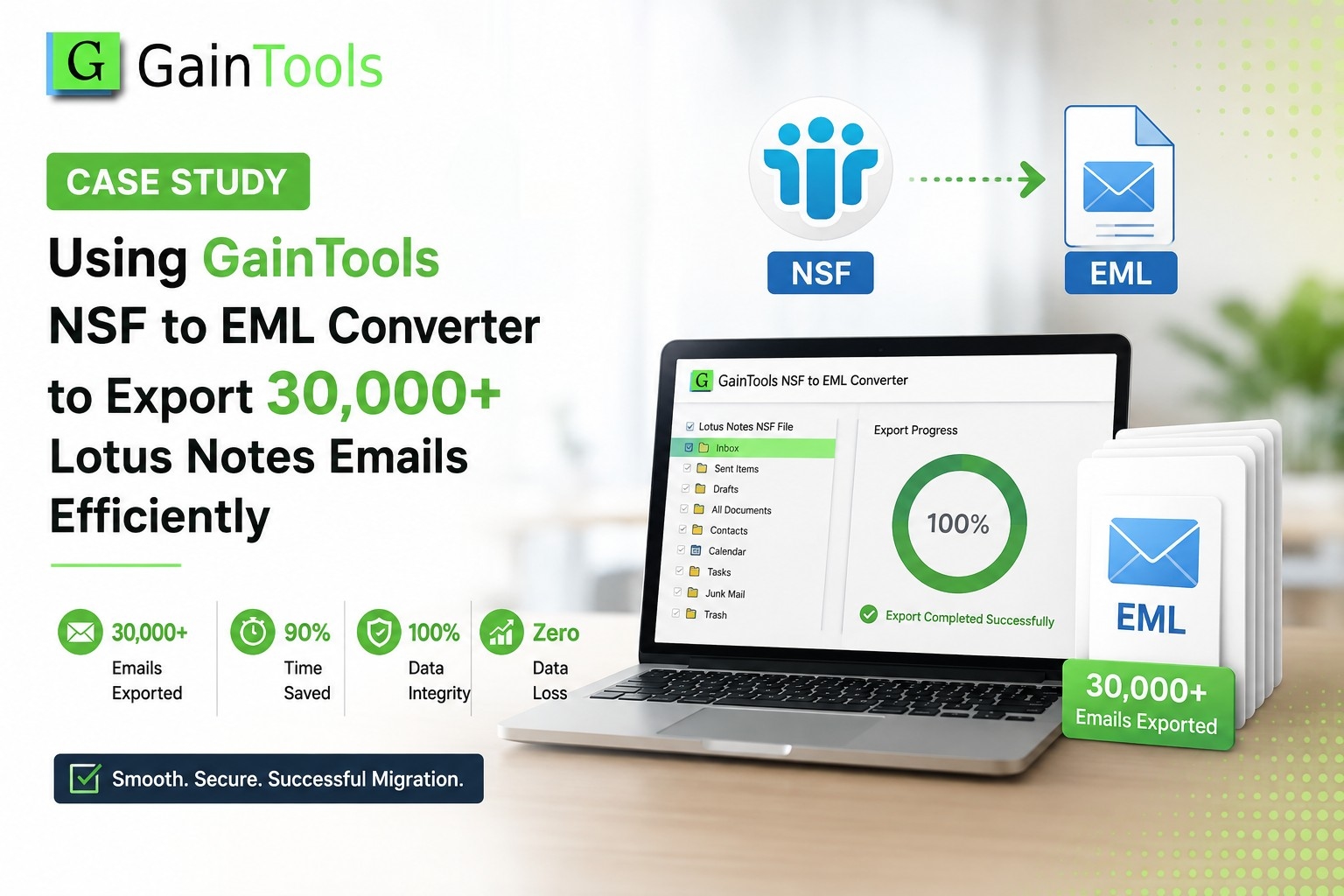
The Lotus Notes.nsf database files contained more than 30,000 legacy emails that contained critical client communication, legal agreements, and financial records.
The company needed to convert these files to the .eml format for cross-platform access for non-Notes desktop clients such as Mozilla Thunderbird, Windows Live Mail, and Apple Mail. The enterprise used GainTools NSF to EML Converter to convert the entire data set in less than 3 hours with 100% data integrity, intact attachments, and the original folder structure.
The Challenge: Legacy IBM Notes vs. Universal EML Accessibility
Lotus Notes created bottlenecks in access for users outside Lotus Notes departments.
Pulling the files either manually or with simple scripts had serious technical risks:
Too Big: Exporting 30,000+ emails one at a time takes weeks of work.
Metadata loss: Most common export methods often strip out important headers (To, From, CC, BCC, Subject, Timestamps).
Corrupted attachments: Important PDFs and Office documents in email attachments that you do not want to corrupt or lose.
Complexity of IBM Notes: Traditional tools crash or freeze with large and complex IBM Notes database files.
How did GainTools achieve success?
Batch Conversion Engine: Converts multiple NSF databases at a time without any system crash or slowdown.
Folder Structure Preserved: The sub-folders in the directory are kept in the output location.
Standalone usefulness: There are no complex combinations or secondary installations.
Universal EML Output: EML files you create will natively open in Thunderbird, Windows Mail, Outlook Express, and Apple Mail.
Pros and Cons of GainTools NSF to EML Converter
Benefits
Bulk conversion of large NSF files: Convert large NSF files in bulk without memory locks.
Full Data Integrity: Keeps folder tree, rich text formatting, inline images, header properties, and attached embedded items.
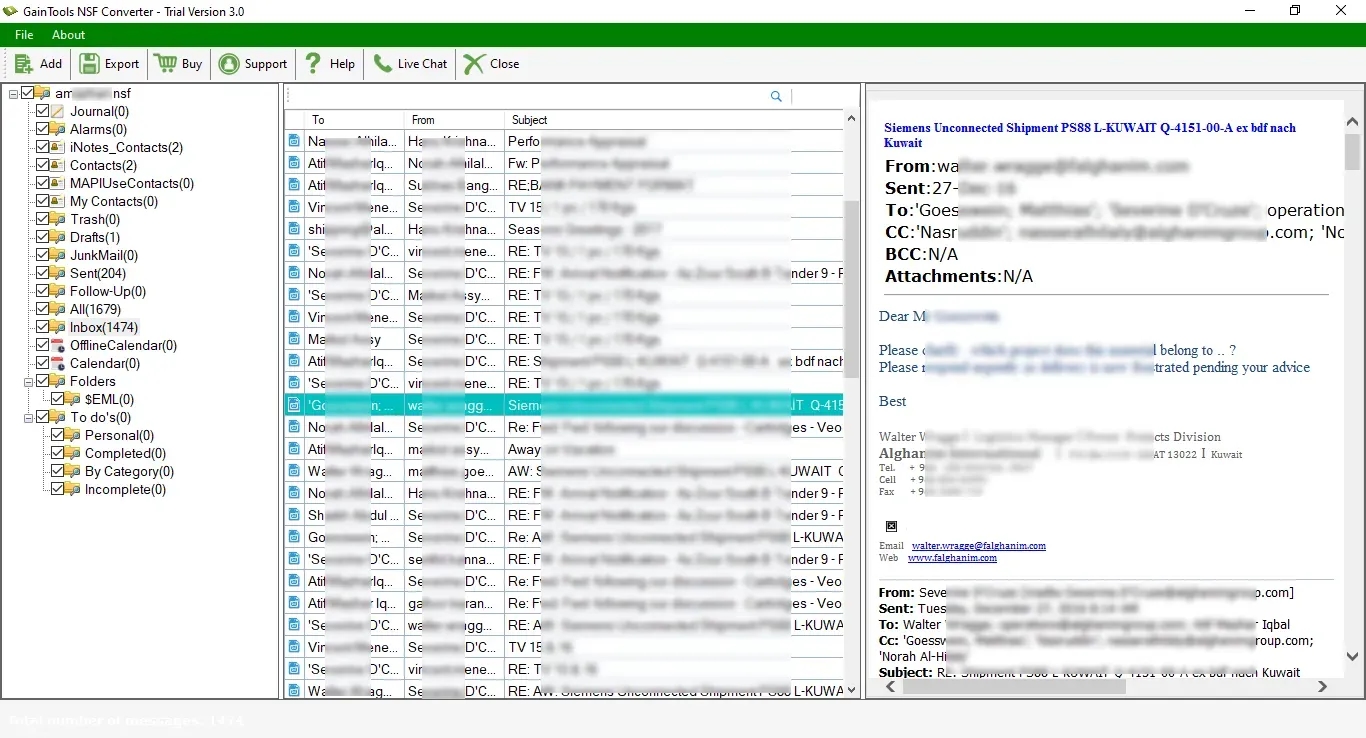
Preview: Users can preview the content of emails and the folder tree before conversion.
Cross-platform compatibility: Compatible with all versions of Lotus Notes and Windows OS.
Disadvantages:
It needs to run on Windows OS.
Demo Limitations: The demo version will convert only a few items in a folder; for full migration, a license key is required.
Step-by-Step Conversion
Download & Launch: Download and launch GainTools NSF to EML Converter for your Windows computer.
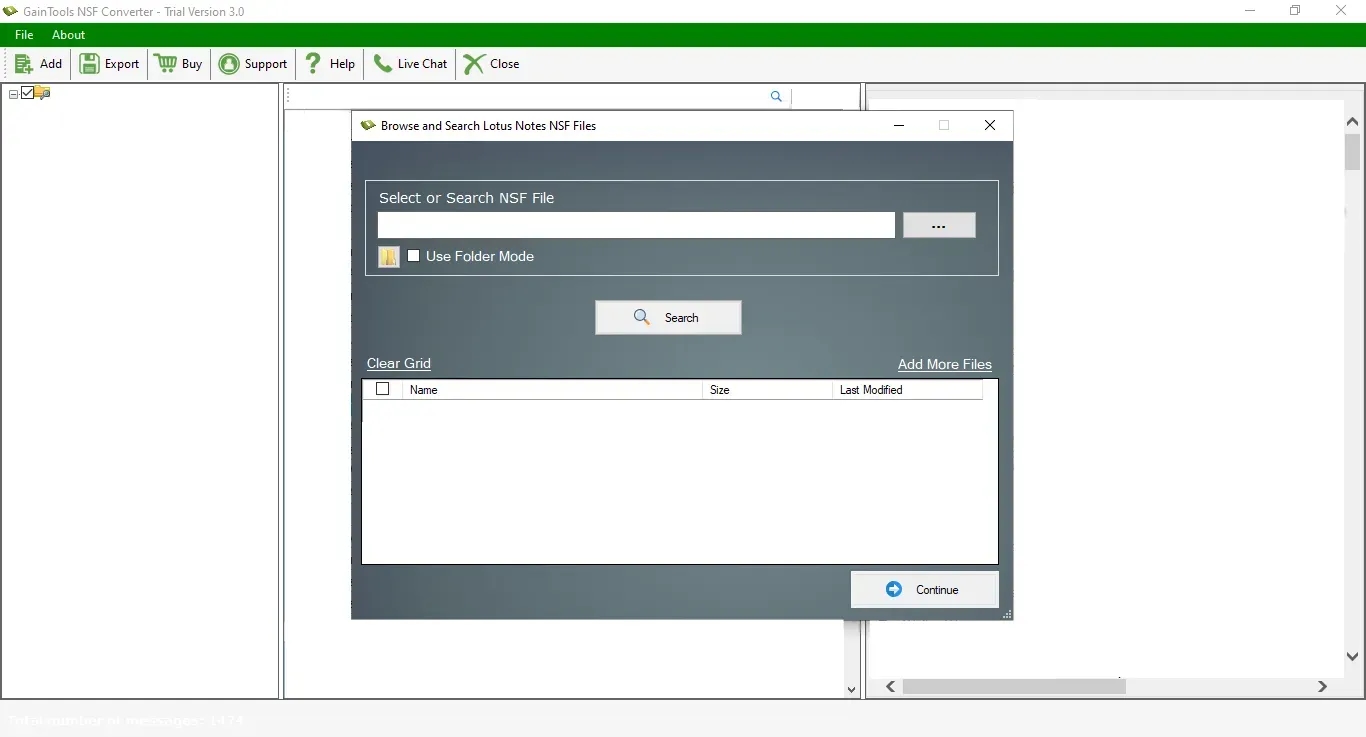
Select & Load NSF Files: Select File Mode (single .nsf file) or Folder Mode (batch load a directory)
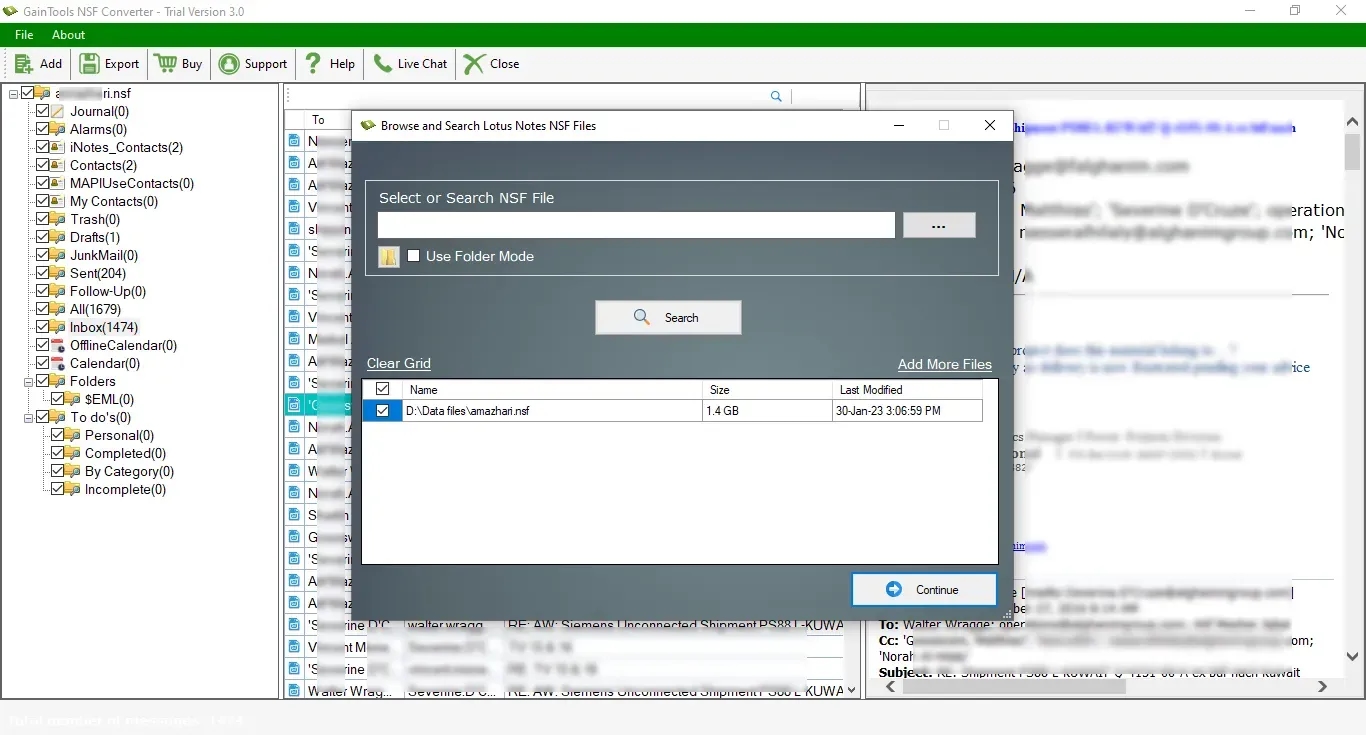
Integrated Preview Pane: See email content, attachments, and folder structure.
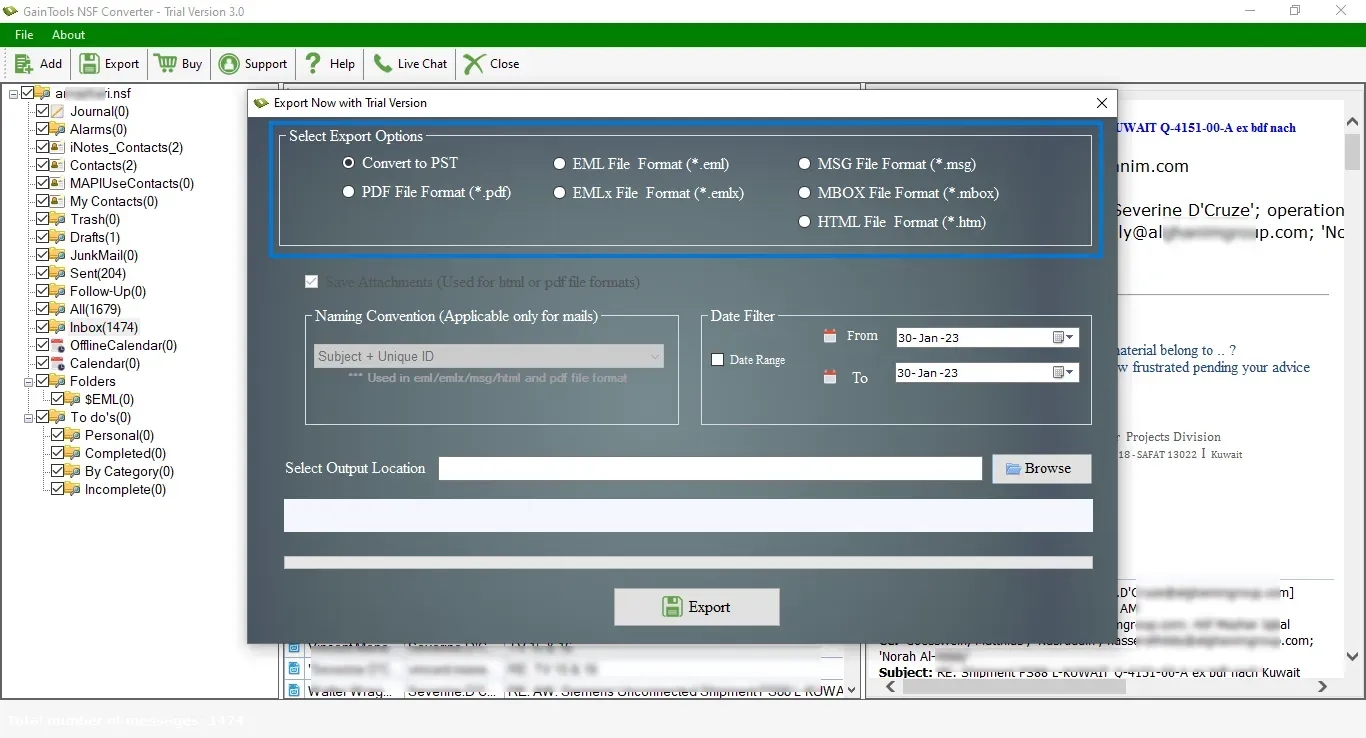
Choose Export Type: Choose EML as your export type.
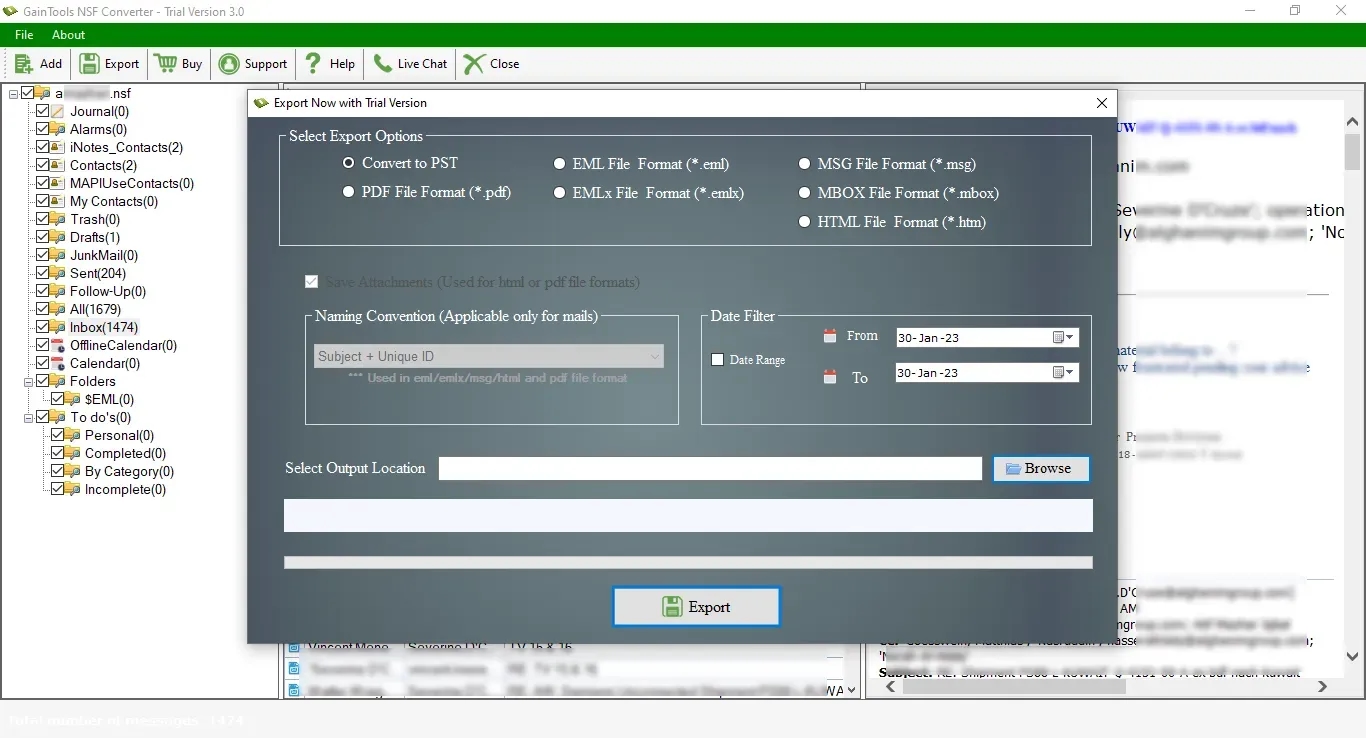
Choose Destination & Convert: Choose your local destination folder, then click Convert Now to start the batch conversion.
Conclusion:
Universalizing 30,000+ Lotus Notes emails and EML files turned a daunting technical challenge into a seamless one-afternoon process. GainTools NSF to EML Converter gave us speed, batch accuracy, and data safety for high-volume enterprise data migration.
Frequently Asked Questions (FAQs)
1. Do the generated EML files work with Thunderbird / Apple Mail?
Yes, EML is a common email format, supported by email clients like Mozilla Thunderbird, Apple Mail, Windows Live Mail, Outlook Express, and many others.
2. Can Converted EML Files Contain Email Attachments?
Yes. All attachments (PDF, image, document, and ZIP) are stored and embedded directly in the related EML files.
3. Will the original folder structure be maintained?
Yes. GainTools folder hierarchy saving technology helps save all subfolders in the same way as they were in the source NSF file.
4. Is there a trial period for the tool?
Yes, GainTools provides a free demo version to check the features and convert a limited number of items per folder for performance checking.