Summary
This was an immediate operational challenge for the mid-sized legal consulting firm, which had recently overhauled its email infrastructure. On each local workstation, the company had separate email message files. The team was working on migrating the entire enterprise to Thunderbird-compatible mail systems and had serious compatibility problems manually importing thousands of individual email records into one mailbox archive file.
The personal email archives contained nearly 120 gigabytes of recorded communication. The data covered essential case histories, contract drafts, customer billings, and legal documents with deadlines. Without a consolidated transfer, the litigation process was not moving forward. These different email files had to be migrated into the consolidated mailbox storage files using GainTools software in a fast and reliable way without disturbing the day-to-day operations.
Customer System
Profile: Legal Advisory Services
Storage System: Network-attached storage for backup, local workstations for archive
Data Volume: ~120 GB of archived email data (stored on 15 legal team workstations)
File Types Source: Individual Email Message files
Target: Consolidated Mailbox Storage files
OS: Windows 11 Enterprise Edition Pro
The Challenge: What occurred?
Team members tried to import individual email message files into the new desktop email client, and the import didn’t work. The application failed to import thousands of various message files and also produced indexing errors. The drag-and-drop import options were not working, kept crashing, and there was an immediate admin freeze.
Why data conversion was difficult
Large File Volumes: Consolidate 100,000+ individual email files into structured mailbox collection files without any data loss.
Embedded attachments: Email threads had thousands of embedded PDFs, scanned contracts, and spreadsheets.
Risk of Metadata Loss: The legal requirement to keep the same creation dates, timestamps, sender/recipient headers, and original folder structure on each message that is converted.
The 5 Step Conversion Process
To avoid these problems, the IT team decided to use the systematic 5-step conversion method provided by GainTools software.
1. Preliminary Analysis: IT reviewed all 15 compromised workstations, identified the individual email files, and quantified the total volume of files.
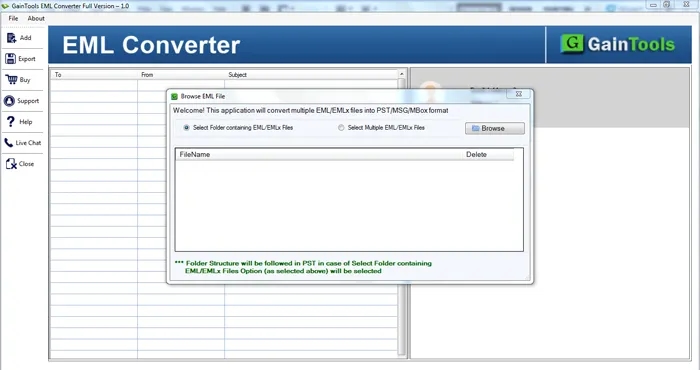
2. Source Preparation: Backups of all target source directories were made as bit-stream copies of the prime data to prevent modification.
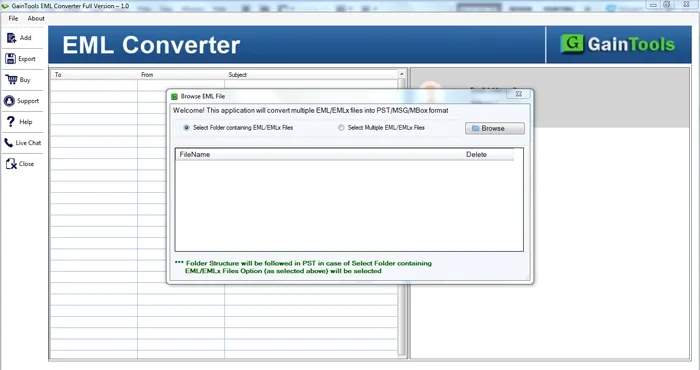
3. Batch Conversion: The GainTools conversion utility can load individual email files in batch, parse message data, and directly convert into consolidated mailbox archive files.
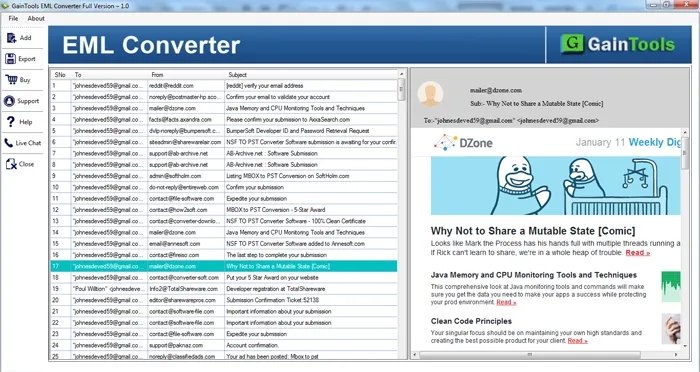
4. Data Reconstruction: The software was successful in mirroring subfolders, sent items, and custom legal project tags to the target mailbox structure.
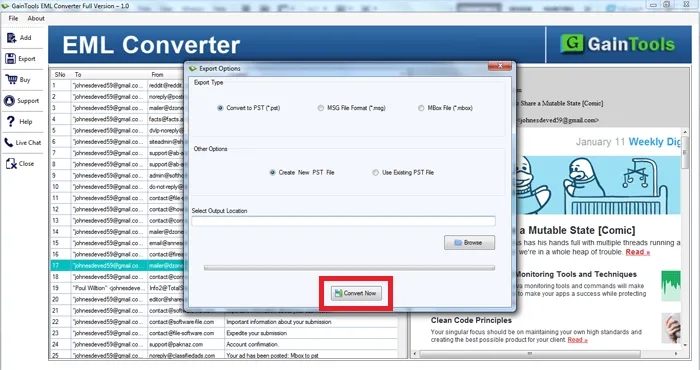
5. Verification: The IT team randomly sampled 500 converted email files from different date ranges to verify the accuracy of headers, attachments, and folder integrity.
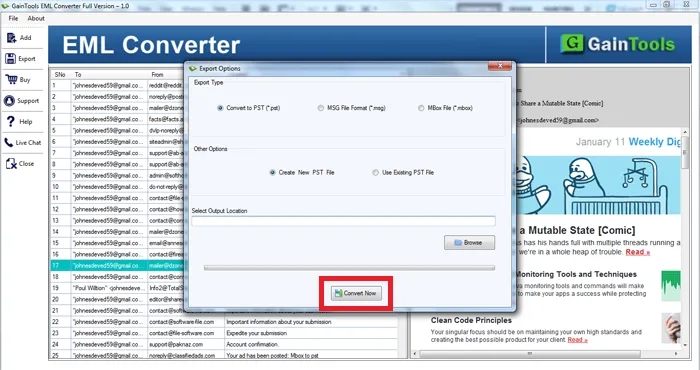
GainTools Winner: The Challenge
Bulk Processing: Processed multiple single email files from folders into one mailbox archive file at once.
Retained folder hierarchy for easier navigation of recordsFolder Hierarchy Preservation: by legal staff through Preserved Nested Directory Trees.
Attachment Protection: All embedded legal documents and attachments were extracted and saved with the original file names.
Metadata Integrity: Important parts of email headers (To, From, CC, BCC, Subject line, and timestamps) are kept.
Results & Business Results
Number of emails recovered: 118,450 messages (100% recovery)
Uptime Time: Within 6 hours of deployment
Metadata Compliance Maintained: Provides access to critical evidence in litigation, while maintaining strict standards of metadata compliance for legal admissibility.
Efficiency: Removed drag-and-drop import, saving hundreds of engineering hours of manual effort.
Feedback from customers:
"Manual conversion of thousands of individual email records to consolidated mailbox files was becoming a major pain point right before a major client submission. Successfully combined 100,000+ emails with all attachments & subfolders. GainTools software immediately recognized our message files. It turned what could have been a multi-day crisis into a migration.
Legal Consulting Service IT Director
Conclision
A legal consulting company applied a controlled migration process in 5 steps with the GainTools software. This solution successfully consolidated every individual email record into mailbox files, maintaining each message, folder structure, and attachment for complete operational recovery.